
Associate III
February 17, 2026
Solved

Build Analyzer unable to update -> CubeIDE Bug?

  • February 17, 2026
  • 1 reply
  • 381 views

Hello.. 

   i am encountering this issue very frequently, the build analyzer unable to update after modified code and build, run. 

i have click the 2-round arrow on the top right menu, and click "on request "on view build setting. Yet still unable to update build analyzer. Anyone can advise?
 

https://community.st.com/t5/stm32cubeide-mcus/build-analyzer-does-not-work-after-stm32cubeide-update/m-p/652218

Best answer by Ghofrane GSOURI

Hello @HMSEdinburge 

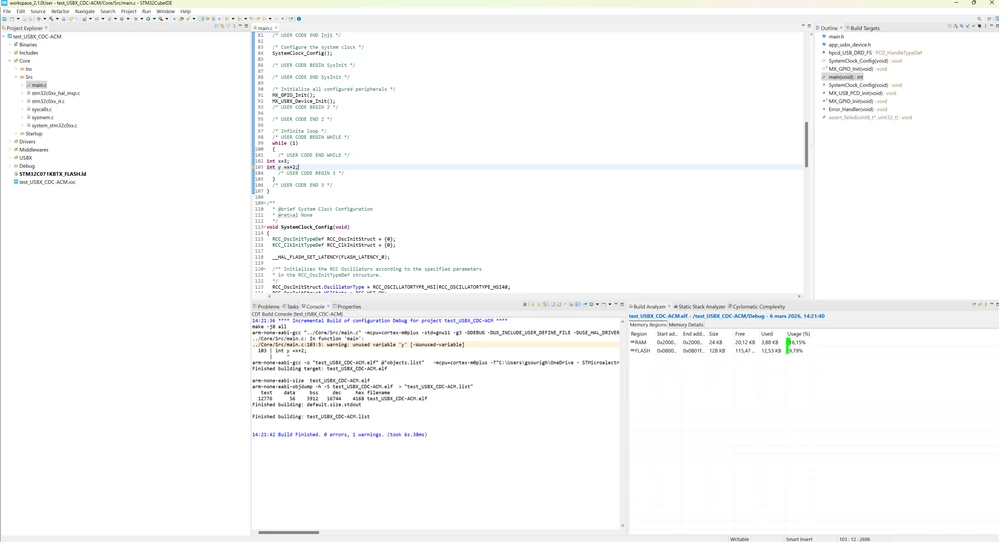
I have performed a test using STM32CubeIDE 2.1.0 and it's working just fine.

build analyzer.png

Let's try to 

1- File → Switch Workspace → Other…
2- Choose a new empty folder.
In the new workspace:
3- File → Import → Existing Projects into Workspace.
4- Import your current project.
5- Clean + build the project.
6- Open Build Analyzer in this new workspace.

THX

Ghofrane


1 reply

Associate III
February 17, 2026

is this an STM bug? 

Ghofrane GSOURI
Technical Moderator
February 17, 2026

Hello @HMSEdinburge 

Which version of STM32CubeIDE are you using ?

THX

Ghofrane

To give better visibility on the answered topics, please click on Accept as Solution on the reply which solved your issue or answered your question.
Associate III
February 18, 2026

v1.19.0