
Associate III
May 12, 2025
Question

cube IDE flipping out

  • May 12, 2025
  • 6 replies
  • 768 views


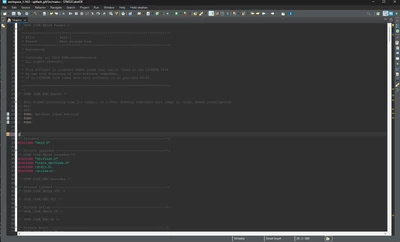
This IDE has gone into some crazy mode where each window maximizes itself on the screen/. I've tried clicking every single maximize/minimize/restore button, closeing the app, restarting the computer.....

This worked and suddenly broke.

Is there some way to make this thing reset back to it's default state?


sgordon777_1-1747091230839.png


6 replies

Associate III
May 12, 2025

Another screen


sgordon777_1-1747092732834.png


CTapp.1
Senior III
May 13, 2025

Have you tried resetting the perspective (Menu item - Window / Perspective / Reset Perspective...)?

All posts are made in a personal capacityMISRA C++ ChairMISRA C WG MemberDirector The MISRA Consortium Limited (TMCL)
Associate III
May 15, 2025

This did it, thanks

Ghofrane GSOURI
Technical Moderator
May 14, 2025

Hello @sgordon777 

First let me thank you for posting.

Could you please provide more details about the STM32CubeIDE version that you are using and your OS.

As mentioned by @CTapp.1 :Go to Window in the menu bar. Select Reset Perspective. This will reset the layout to its default configuration and if the issue persists try switching to a new workspace: Go to File > Switch Workspace > Other...

THX

Ghofrane

To give better visibility on the answered topics, please click on Accept as Solution on the reply which solved your issue or answered your question.
AScha.3
Super User
May 14, 2025

Double clicking in free area on top of window doesnt restore it ?

here ->

AScha3_0-1747226660700.png


"If you feel a post has answered your question, please click ""Accept as Solution""."
CTapp.1
Senior III
May 14, 2025

That's worth a try - it does normally. If it doesn't, it's worth trying to reset the perspective.

All posts are made in a personal capacityMISRA C++ ChairMISRA C WG MemberDirector The MISRA Consortium Limited (TMCL)
Associate III
May 15, 2025

No, it didn't for me. Thats the first things I tried since I know that double clicking this border area can decouble windows.


I fixed it with "reset perspective" option above

matte
Associate
May 15, 2025
CTRL+M = Maximizie active View or Editor

The root-cause is as you said probably a double-click on a border area or using CTRL+M.

You can of course do a "perspective reset". But an easier fix (less impact on your perspective tweaks) is to hit CTRL+M again to untoggle maxmimization.