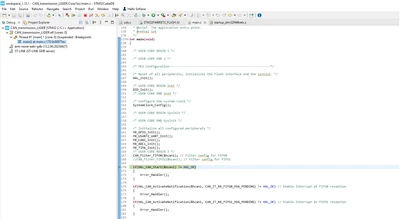
Debugger stops at 97%
Hello everyone,
I have recently faced a problem concerning the debugger when trying to flash F446RE board.
When i launch the debug mode, the progress bar stops at 97% and doesn't return any error message as output.
The problem did not exist before the holidays but right now it exists although i did not changed the code nor debug config.
Here is the message displayed on the console when trying to debug:
STMicroelectronics ST-LINK GDB server. Version 7.8.0
Copyright (c) 2024, STMicroelectronics. All rights reserved.
Starting server with the following options:
Persistent Mode : Disabled
Logging Level : 1
Listen Port Number : 61234
Status Refresh Delay : 15s
Verbose Mode : Disabled
SWD Debug : Enabled
InitWhile : Enabled
Waiting for debugger connection...
Debugger connected
Waiting for debugger connection...
Debugger connected
Waiting for debugger connection...
-------------------------------------------------------------------
STM32CubeProgrammer v2.17.0
-------------------------------------------------------------------
Log output file: C:\Users\EDESFR~1\AppData\Local\Temp\STM32CubeProgrammer_a18308.log
ST-LINK SN : 0670FF343047463043232657
ST-LINK FW : V2J45M31
Board : NUCLEO-F446RE
Voltage : 3.23V
SWD freq : 125 KHz
Connect mode: Under Reset
Reset mode : Hardware reset
Device ID : 0x421
Revision ID : Rev A
Device name : STM32F446xx
Flash size : 512 KBytes
Device type : MCU
Device CPU : Cortex-M4
BL Version : 0x90
Memory Programming ...
Opening and parsing file: ST-LINK_GDB_server_a18308.srec
File : ST-LINK_GDB_server_a18308.srec
Size : 58.50 KB
Address : 0x08000000
Erasing memory corresponding to segment 0:
Erasing internal memory sectors [0 3]
Download in Progress:
File download complete
Time elapsed during download operation: 00:00:09.274
Verifying ...
Download verified successfully
Would appreciate if anyone had an idea...
Thanks in advance!