

Error: Code generation could not be done because the necessary firmware package is missing. Not able to complete STM32Cube project creation.
I hope this is the right thread for my question. I recently decided to switch to STM32CubeIDE from the online compiler as there is debugging and is offline capable.
I downloaded STM32CubeIDE and went to create a new STM32 Project. I selected my dev board and the firmware files automatically downloaded and unzipped. I then accepted all the default settings, however the error "Code generation could not be done because the necessary firmware package is missing. Not able to complete STM32Cube project creation." was thrown (and is thrown every time I try).
I have tried re-downloading the firmware files (which is painful due to having a very slow and expensive connection because of where I live, hence the desire for offline) and tried suggestions like this: https://community.st.com/s/question/0D53W00000NzOxxSAF/errors-in-stm32cubeide-firmware-update-offline with no success.
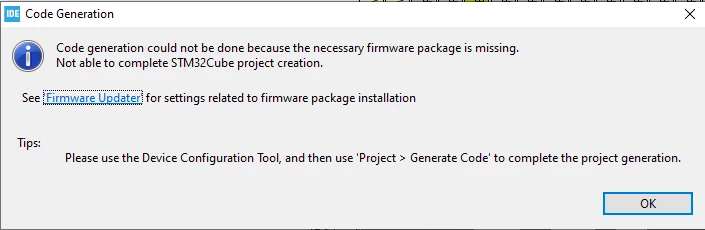
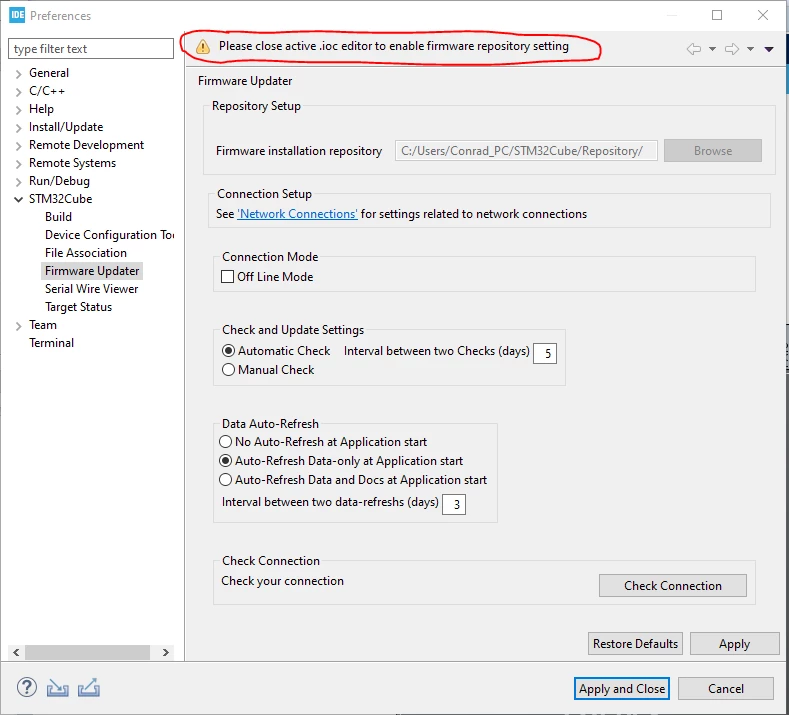
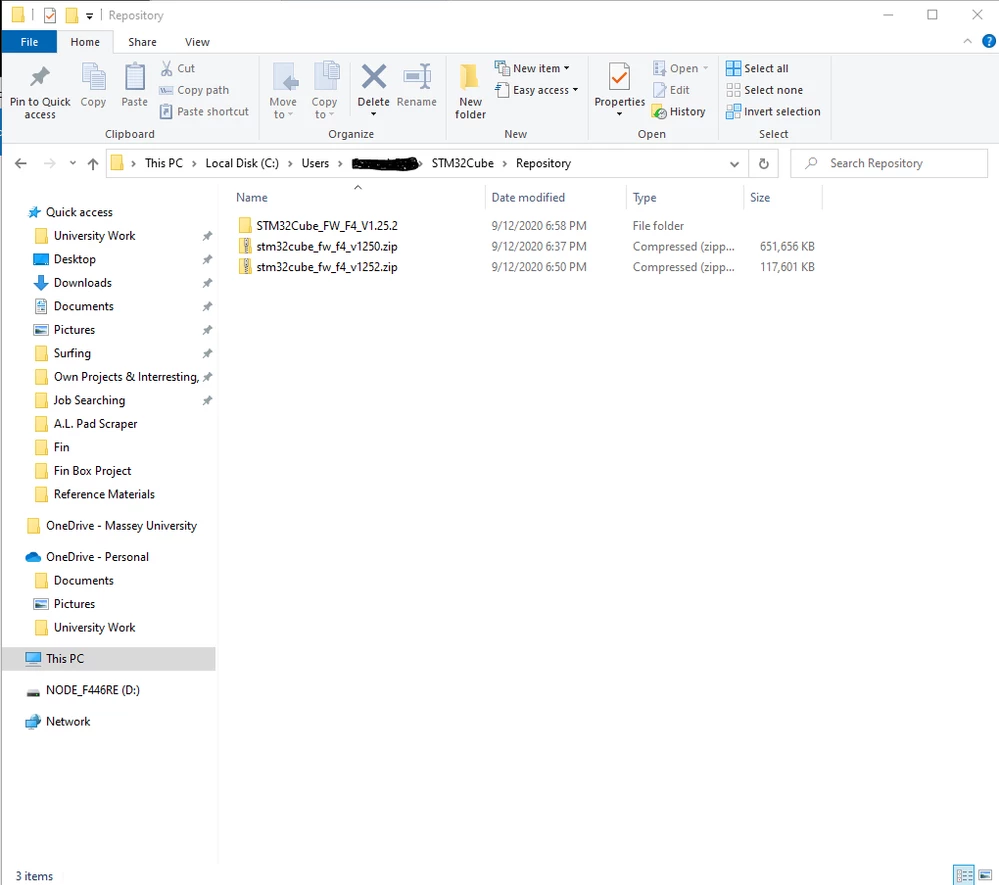 I also do not know what files I actually need, what the error in the second image means or how to fix it, and what I need to do to fix the firmware repository settings.
- STM32CubeIDE Version: 1.3.0
- System: Windows 10
- Dev Board: NUCLEO-F446RE
Thank you for your help in advance!