Associate II
September 26, 2025
Question

How to fix "No source available for main() at ..." encountered while debugging ?

  • September 26, 2025
  • 2 replies
  • 391 views

Hi everyone,

I’m currently trying to debug my project. However, as soon as I start the debugger, I always get the following error message: "No source available for main() at 0x80048bc". I’m using a custom board with an STM32L4P5ZGT6.


Read and followed these threads: https://community.st.com/t5/stm32cubeide-mcus/how-to-solve-the-error-quot-no-source-available-for-main-at-quot/td-p/228420

and https://community.st.com/t5/stm32cubeide-mcus/debug-quot-no-source-available-for-main-quot/m-p/385835


I ensured I’m using the Debug build configuration and set Debug Level to -g3.


Any Ideas how to fix this?
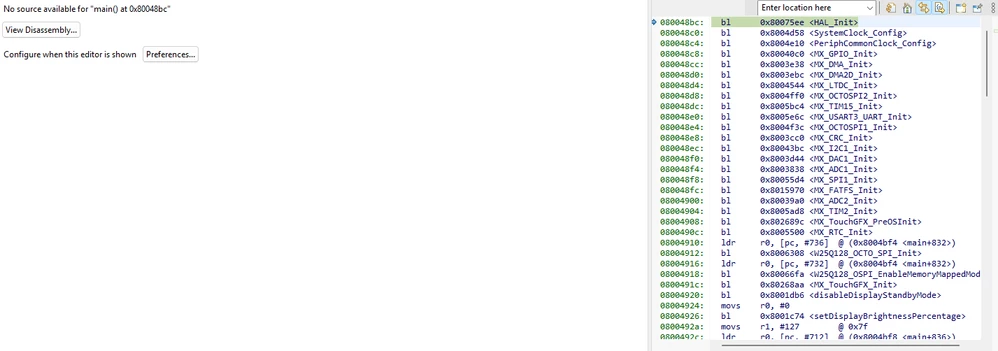
image.png


Simon151_0-1758872623933.png


Thanks in advance.

Simon


2 replies

TDK
Super User
September 26, 2025

How are you starting the debugger?

Does the Console tab show the programmer downloading the ELF to the chip?


"If you feel a post has answered your question, please click ""Accept as Solution""."
Simon151Author
Associate II
September 29, 2025

I start the debugger via the Debug Configurations I want to make sure the Debug build is selected and the correct launch file is used.

Flashing works, but as soon as the program is programmed onto the target I get the “No source available” message.

I’m using FreeRTOS and external memory (QSPI). Could this be related?