
Associate
June 21, 2024
Question

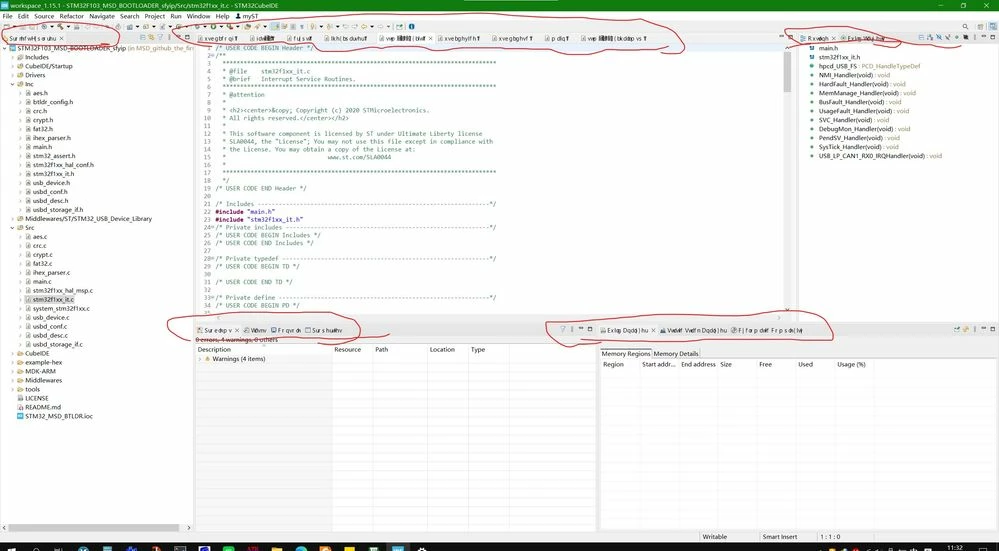
In my STM32CubeIDE, the labels and tabs are displaying as garbled text (random characters)

  • June 21, 2024
  • 2 replies
  • 980 views

In my STM32CubeIDE, the labels and tabs are displaying as garbled text (random characters). This makes it difficult to navigate and use the IDE.

My current development environment is as follows.

STM32CubeMX v6.7.0, STM32CubeIDE    Version: 1.15.1     Windows 10 19044.1766    JAVA_VERSION="18.0.2.1"

How to solve these garbled code problems? I have reinstalled this IED many times。1234.jpg
2 replies

Semer CHERNI
ST Employee
June 25, 2024

Hello @ikun985 

First let me thank you for posting.

Could you share the .log found under .metadata folder from the workspace.

Also, could you try with a new workspace.

BR,
Semer.

ikun985Author
Associate
June 26, 2024

12345.jpg

I created a new folder in my IED and set it as the path to the workspace, but the same garbled characters still appear

Visitor II
January 5, 2026