Pin Configuration Panel Missing Drop-downs
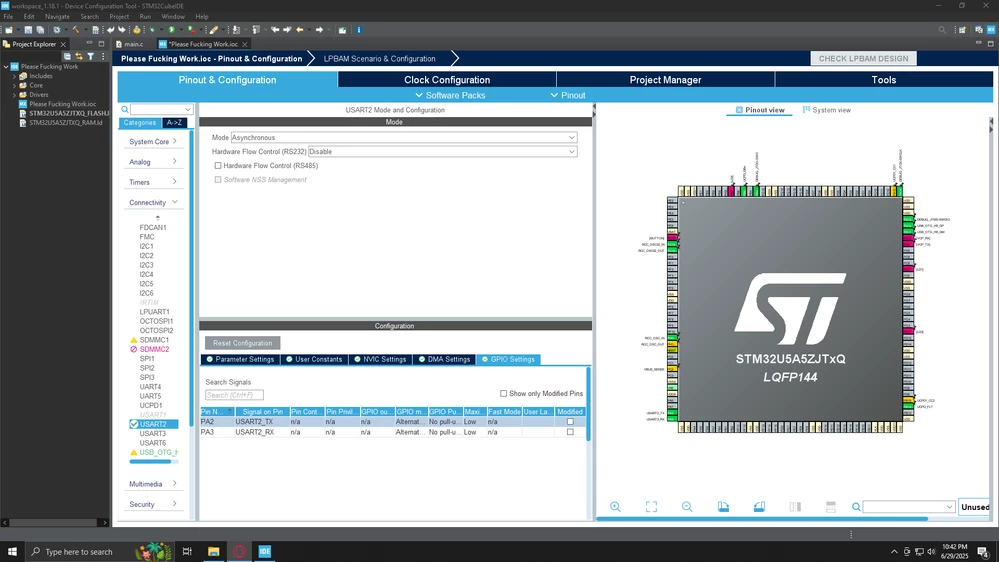
I recently installed STM32CubeIDE on a new computer for the first time. Starting out my first project, and I immediately run into an issue that makes the MX portion basically completely un-usable. The problem is that when I want to change the configuration of a pin I simply... can't.
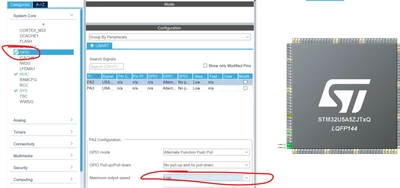
For example, if I want to change PA2 (USART2_TX) Maximum output speed from low to high, before I would simply click on "low" and a small menu would pop-up that would let me change it to "high", and now that is just gone.
All I can do is change the user label in the pinout view (which will make the configuration refresh and I will see the user label appear) but for example, I cannot simply click on User Label in the configuration window and type something in, it just wont let me do that.
I have sure everything is running on the latest version; the IDE and all associated packages, as well as all my drivers and windows itself. I have tried completely uninstalling and re-installing CubeIDE, and when I say completely I mean I even went in and deleted all the other folders it installs ion places that the uninstaller does not delete. Nothing seems to be fixing this and its very frustrating.