

STM32 Tracealyzer Integration & Debugging Handy Hint #6
Hi,
I have created a project with Percepio's Tracealyzer integrated into a STM32G431 Nucleo project. I use this board a lot for my smaller projects, it is cheap, small, fast 170MHz, has an excellent pinout and the G432 processor really kicks bottom. The project is for a humane electrically activated animal trap.
I used the project with a Time OF Flight Sensor, a VL53L4CD which has a 1 MHz I2C slave interface. To get it going I used the VL53L4CD_ULD driver software provided by STM. This driver is a blocking driver that can use the VL53L4CD interrupt pin or data ready polling. I have posted about this in an earlier post.
This project has the following debugging tools:
- Printfdma - non intrusive printf debugging funtion over VCP
- Tracealyzer Integration
- Run-time counters for FreeRTOS aware debugging
- Stack reporting for FreeRTOS aware debugging
- FreeRTOS aware Hardfault handler with printf using Rozenberg printf code. (re-entrent and fast)
Other tools you can use for debugging and performance optimisation are the:
- SWV Profiling tool
- SWV Exception Log
- SWV Timeline Graph
- SWV Data Trace
The project memory is configured for DTCM at 0x10000000 with the following allocation to this memory:
- FreeRTOS .bss modules
- Stack and small heap
- Various process variables, HAL Handles and FreeRTOS handles
Doing this provides a large amount of RAM for the Tracealyzer ring buffer and also optimises for speed. Have a look at the Linker script and Build Analyser for a better understanding of memory allocation.
The project can be configured to use the I2C bus in different ways depending on settings in the I2c.h header.
As posted, the CPU is running at 8 Mhz, the I2C bus at 25 kHz (Max at CPU 8 MHz) and the VL53L4CDdriver is set for DMA (deferred interrupt processing) with no VL53L4CD interrupt pin usage. The sample rate for the VL53L4CD ranging is 30 ms. (33 Hz)
The Run Time counters and stack usage is shown below:

I added the Tracealyzer plugin to my STM32CubeIDE to ease the use of this tool. Go to:
https://percepio.com/tracealyzer/gettingstarted/stm32/
If you like command line stuff you can export the ring buffer to a file in the debug console. I find this clunky so I prefer the plugin.
This explains the in and outs of using Tracealyzer with STM32CubeIDE and ST-Link V3.
Here is a trace of my PixiPuss program
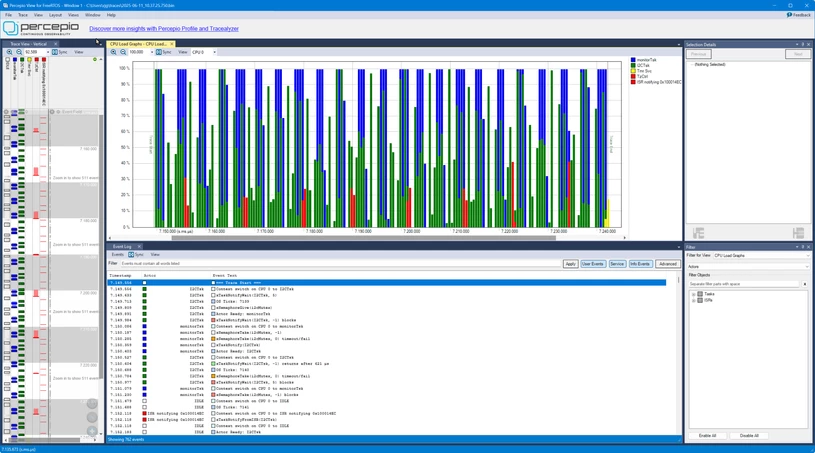
Works very well. Of course the one I'm using is the free version which is limited to snapshot recording with the Trace Recorder ring buffer. I an getting a quote for the full version, but somehow I think the price will be far too high for a retired hacker like me.
Here are outputs from the SWV functions you can use:
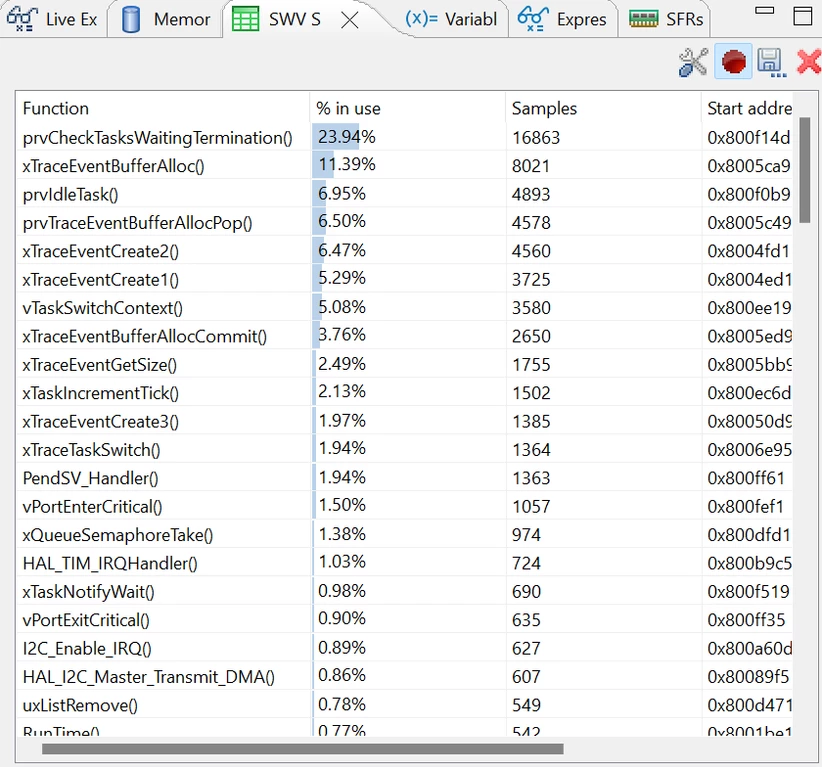
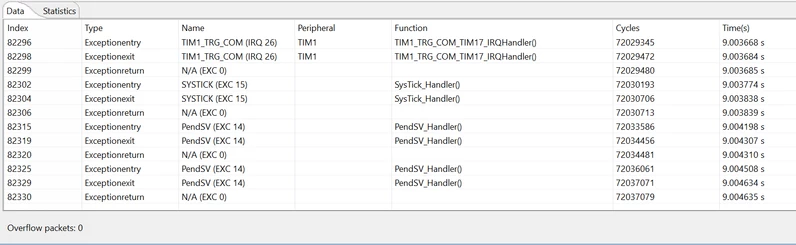
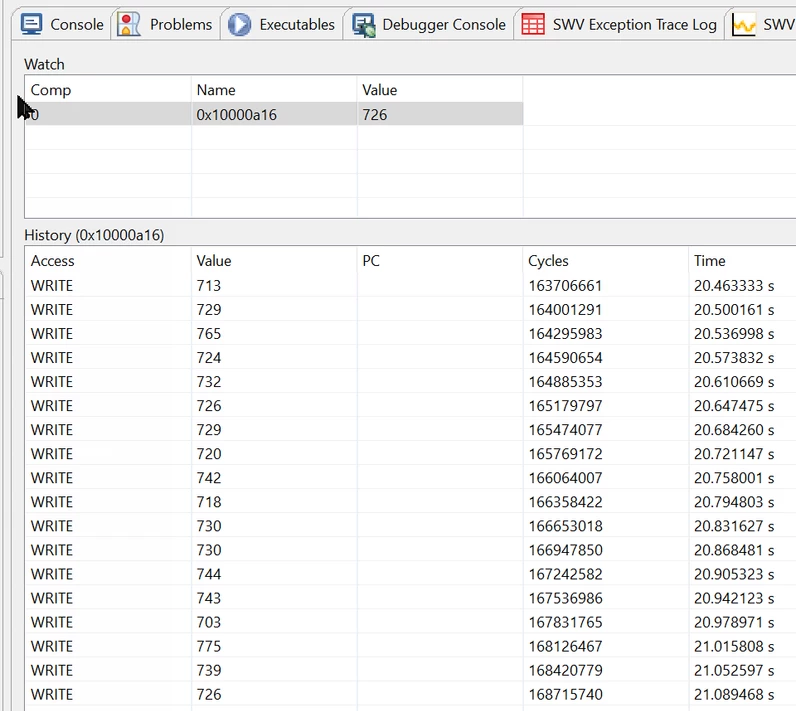
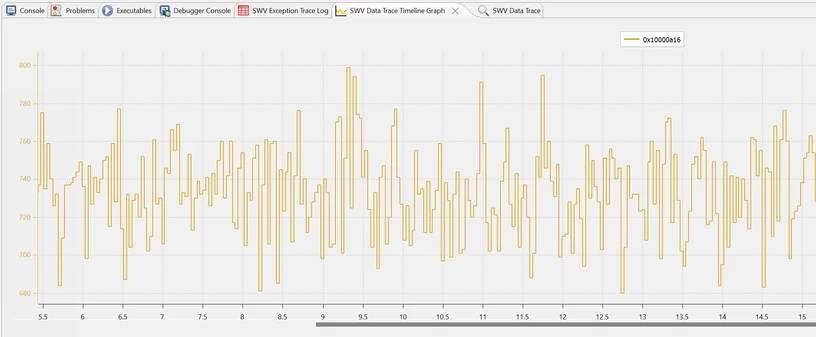
Using one or more of all of these tools can make debugging like fox hunting, and they enhance "the thrill of the chase."
To get PixiPuss going extract the zip to "c:\Eng". As STM32CubeIDE insists on using absolute directories for includes, it won't work if you extract it somewhere else. I haven't a clue what to do in Linux if that's what you use.
Enjoy