Solved
STM32CubeIDE error downloading file while creating project
When creating a project with the new STM32CubeIDE 1.19.0, I get the following error:
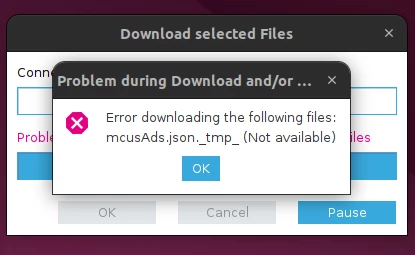
Does anyone knows how to fix this?

When creating a project with the new STM32CubeIDE 1.19.0, I get the following error:
Does anyone knows how to fix this?
Hello
The error "Error downloading the following files: mcusAds.json.tmp (Not available)" in STM32CubeIDE 1.19.0 usually occurs due to network connectivity issues, firewall or proxy restrictions, or temporary server unavailability when the IDE tries to download necessary package files. To resolve this, make sure your internet connection is stable, configure any proxy settings within the IDE if needed, and check that no firewall or antivirus is blocking the download. Clearing the IDE’s cache (.stm32cubeide) can also help. Running the IDE with administrator privileges may resolve permission-related problems.
THX
Ghofrane
Enter your E-mail address. We'll send you an e-mail with instructions to reset your password.