Associate
January 30, 2025
Question

STM32CubeIDE: Impossible to generate code

  • January 30, 2025
  • 5 replies
  • 1990 views

Edit By ST Moderator: Title of this post has been translated from Chinese to comply with the ST Community guidelines.
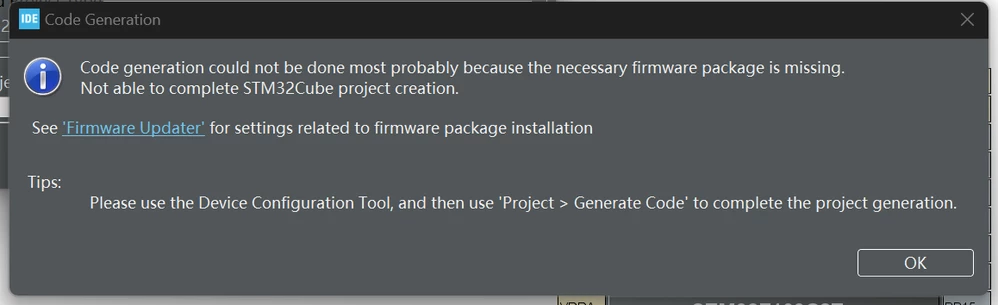
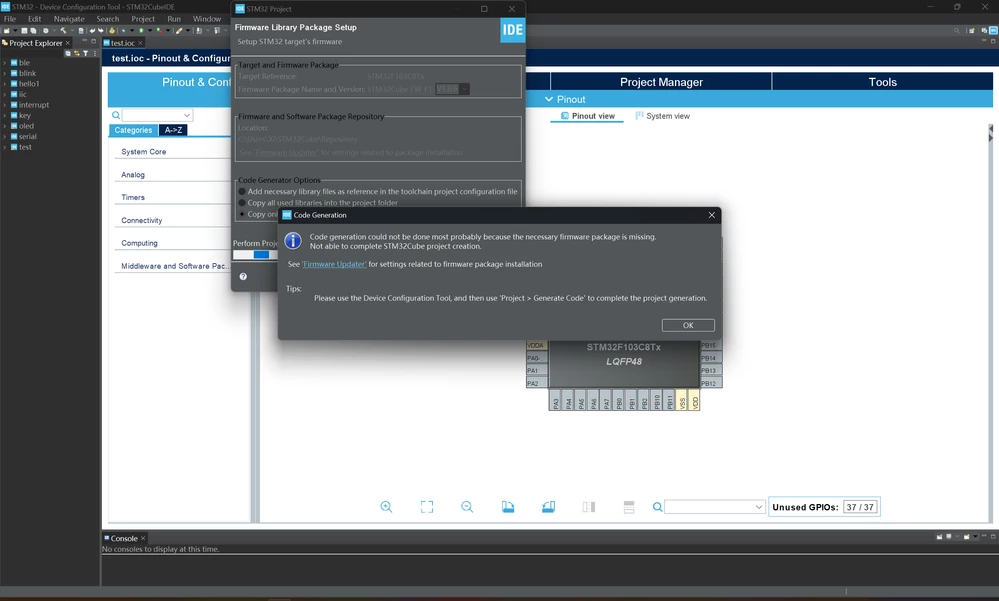
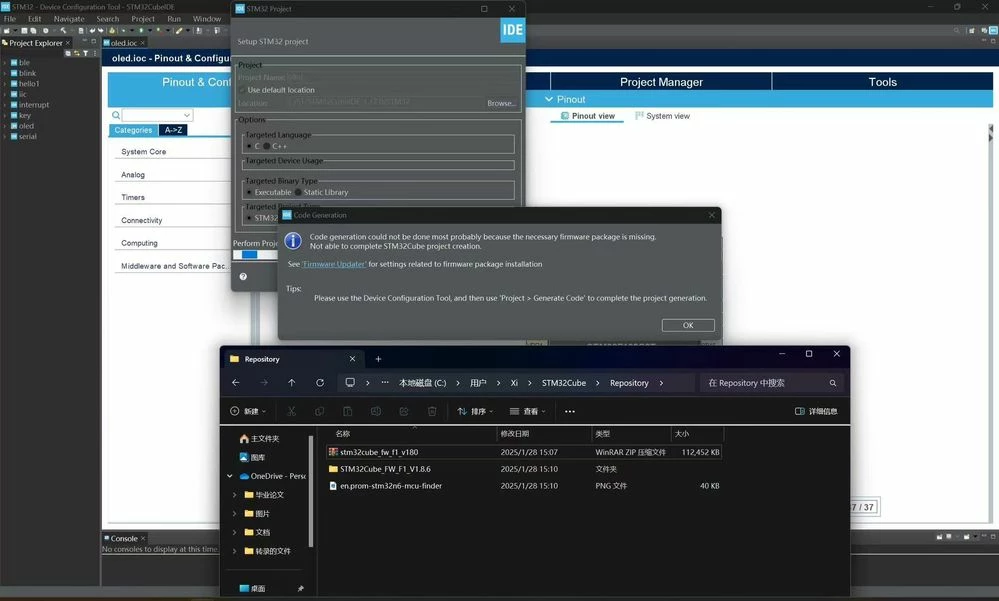
07ef322d57420ab02dd470908284b83.png


76a43d00e4487bb3dd974129b9c1c56.png


265bdbca541106f595119c20d13e89e.jpg


5 replies

Peter BENSCH
Technical Moderator
January 30, 2025

Welcome @xjmxjc, to the community!

The problem is most likely due to the non-ASCII characters you are using in the path.

To test and confirm this, you do not need to reinstall the firmware, but can:

  1. move the folder STM32Cube (containing Repository) to the root directory of C:
  2. and adjust the path in CubeIDE

Hope that helps?

Good luck!
/Peter

xjmxjcAuthor
Associate
January 30, 2025

Dear Peter:

Thank you for your assistance. I followed your advice, but unfortunately, it didn't help me. I would appreciate it if you could provide alternative solutions.

Sincere thanks.


xjmxjc

Peter BENSCH
Technical Moderator
January 30, 2025

In which path did you install the IDE?

xjmxjcAuthor
Associate
January 30, 2025

I first downloaded the IDE from the official website(st.com) on January 16th, and was able to use it normally for study and writing purposes within the following week.

E:ST/STM32CubeIDE_1.17.0

Peter BENSCH
Technical Moderator
January 30, 2025

So you were able to work with it after the installation?

With which MCU was that and with which firmware library?

You can also download the firmware library a second time, unpack it manually into a different directory (slightly different directory name) and make a binary directory comparison with a suitable tool. Alternatively, change the path to that new directory as a test and try again with the CubeIDE.

xjmxjcAuthor
Associate
February 1, 2025

I apologize for taking such a long time to respond to you. Since the issue arose, I have tried numerous methods, such as clearing the CubeMX cache and restarting, checking that the MCU model and firmware version of the project match, manually specifying the firmware package path, verifying filesystem permissions, manually downloading and importing the firmware package, and reinstalling the software. I am using an STM32F103C8T6 with the firmware library STM32Cube_FW_F1_V1.8.6. Thank you for your continuous assistance and suggestions; I will keep waiting for your reply.

Peter BENSCH
Technical Moderator
February 4, 2025

From all the information you've shared so far, everything looks normal. Under which operating system are you working with the STM32CubeIDE?

BTW: when I read STM32F103C8T6, I immediately think of the Blue Pill, which is one of the boards that uses the most pirated STM32 in years. I'm pretty sure you won't enjoy it if your STM32F103C8T6 is not an genuine part, but one of these fakes.

Regards
/Peter

xjmxjcAuthor
Associate
February 4, 2025

窗户

Peter BENSCH
Technical Moderator
February 4, 2025

Did you try it on another machine?

xjmxjcAuthor
Associate
February 4, 2025

Never. I will have a try