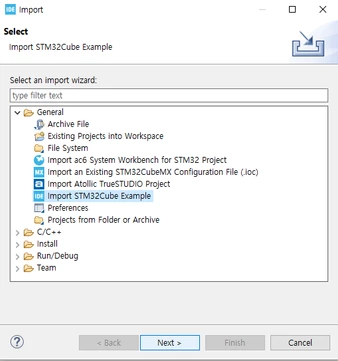
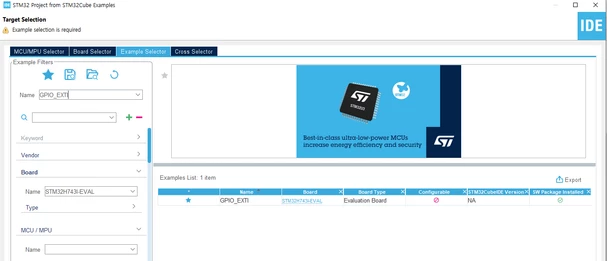
Unable to launch, The selection cannot be launced and there is no recent launches
Hi, I am trying to import an example project in the IDE below is the product detail
Board: STM32H743I-Eval2
IDE: STM32CubeID 1.18.0
Example: GPIO_EXTI
Original Dirctory: C:\Users\User\STM32Cube\Repository\STM32Cube_FW_H7_V1.12.1\Projects\STM32H743I-EVAL\Examples\GPIO
Workspace: C:\Users\User\STM32CubeIDE\workspace_1.18.0
Issue: When I try to debug the project I get the following error, I dont know what went wrong but I have just followed the turtorial on the official website.
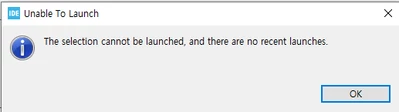
Another Issue?: According to this guide, a dialog box asking to confirm the project conversion is then displayed as shown in the below, just after importing the project into IDE, but in my case, the box isnt appearing. 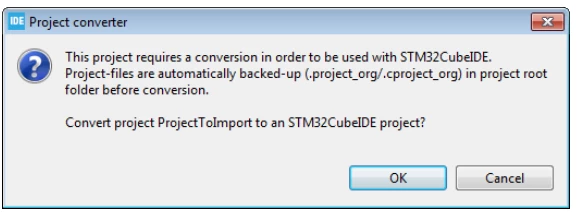
Whole Screen shot
Any gidance is much appritiated.
Thank you