Solved
View Memory allocation as a GUI
Hello Experts,
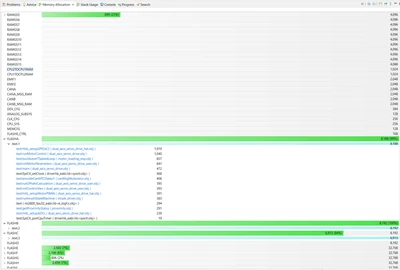
Is it possible to view the memory allocation in a nice GUI format, something like this: (see image)
The image is an example of what i am looking for (from code composer studio IDE).
Basically it autoloads the data from .map file and displays it graphically!, cool thing here is that we can see where functions and variables are located along with its size and its loading addresses. for doing any analysis.
Analyzing large .map files directly can sometimes be cumbersome.