Fhu.1
Associate II
August 4, 2020
Solved

How to layout dashboard components as a whole

  • August 4, 2020
  • 1 reply
  • 1018 views

Dear all,

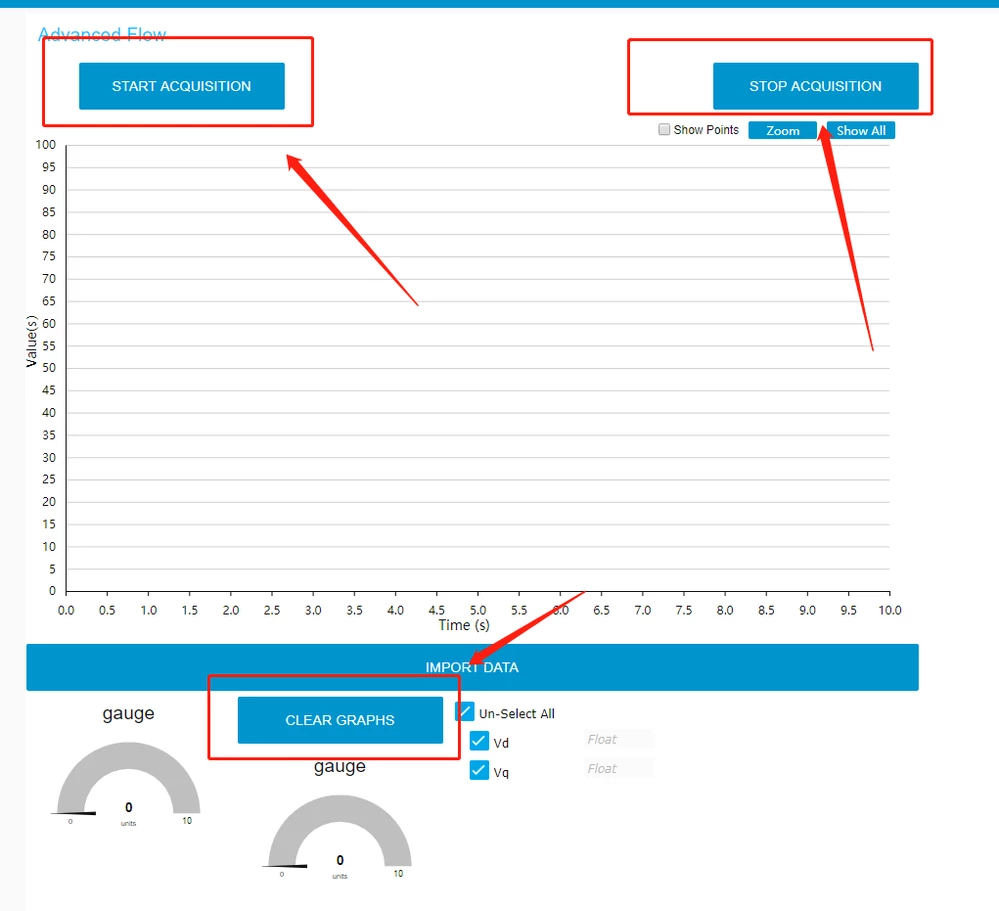
How to adjust the layout of dashboard components as a whole?

I now find that each component can only be individually sized and cannot be placed in a single panel to evaluate the layout as a whole.

My dashboard is a mess.0693W000003C2EQQA0.png
This topic has been closed for replies.
Best answer by Richard.Chvr

Hello Fhu.1,

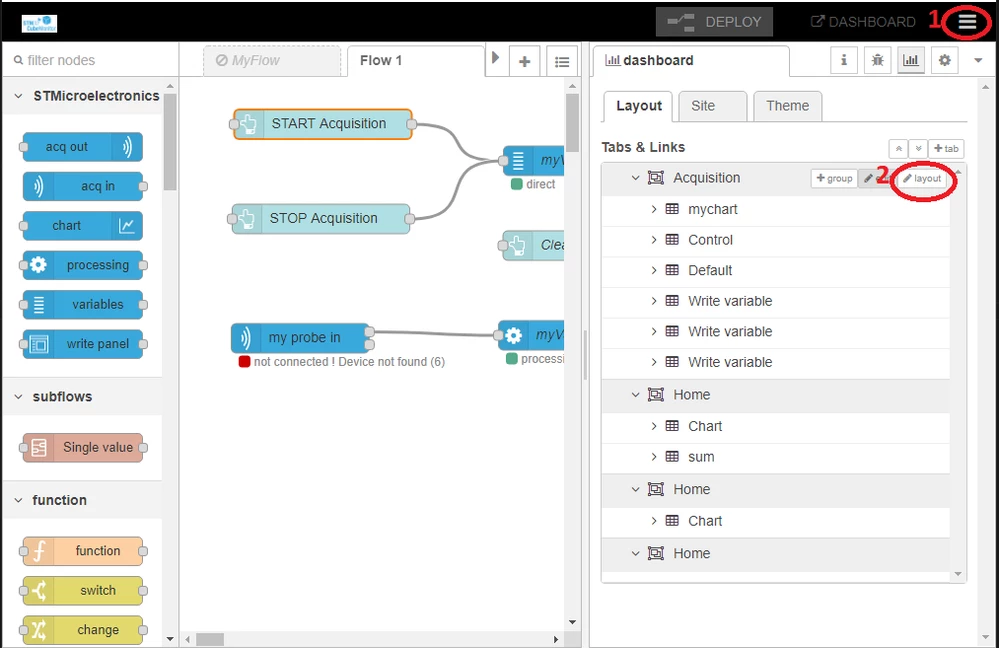
In order to modify your layout:

1 you need to click on the burger menu, on top right side,

2 select layout of the group your buttons belongs to

0693W000003C40kQAC.png

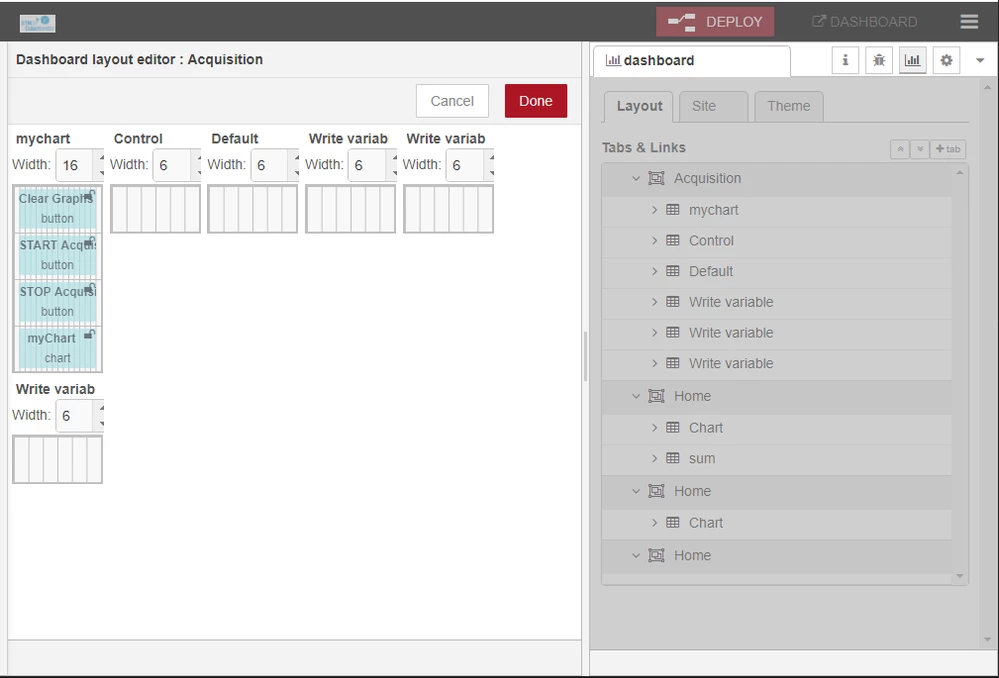
Then you can move the elements the way you want

0693W000003C41xQAC.png

Hope it helps

Regards

Richard

1 reply

Richard.Chvr
Richard.ChvrBest answer
Technical Moderator
August 4, 2020

Hello Fhu.1,

In order to modify your layout:

1 you need to click on the burger menu, on top right side,

2 select layout of the group your buttons belongs to

0693W000003C40kQAC.png

Then you can move the elements the way you want

0693W000003C41xQAC.png

Hope it helps

Regards

Richard

To give better visibility on the answered topics, please click on Accept as Solution on the reply which solved your issue or answered your question.
Fhu.1
Fhu.1Author
Associate II
August 10, 2020

Thank you very much for your answer, now my dashboard looks much more comfortable, ha ha!

Thank you!

Regards