
aritec
Associate III
February 3, 2020
Solved

Stm32 CubeMonitor-Power redraw or zooming does not work.

  • February 3, 2020
  • 6 replies
  • 1904 views

Hi,

if i record the power everything looks good like:
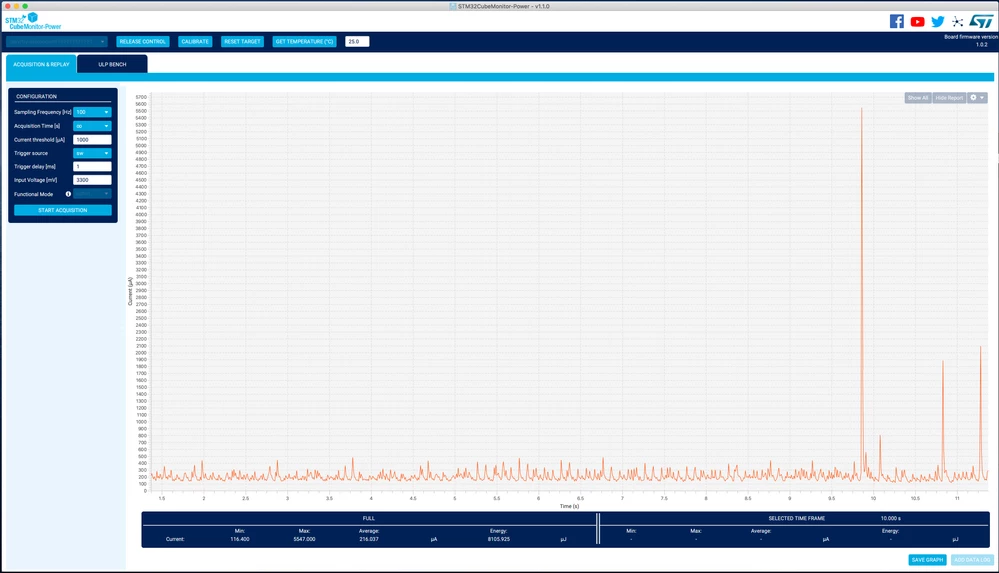
0690X00000BxtCxQAJ.png

but, if i zoom in/out or press "Show All" it looks like this:
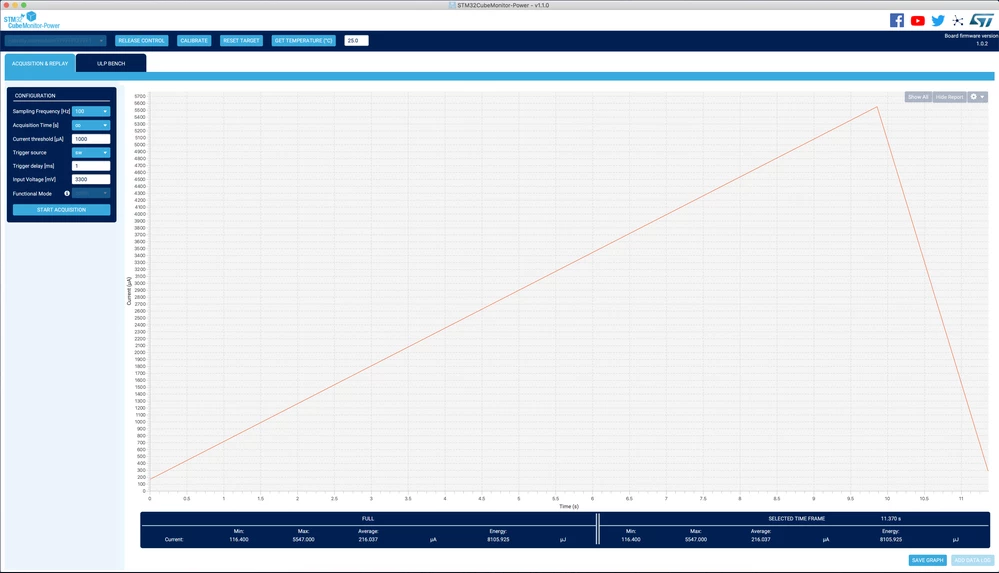
0690X00000BxtE0QAJ.png

Anyone else using this feature?

This topic has been closed for replies.
Best answer by Landry

Dear aritec,

New release 1.1.1 is available on st.com. Can you download and test if it's solving your issue ?

https://my.st.com/content/my_st_com/en/products/development-tools/software-development-tools/stm32-software-development-tools/stm32-performance-and-debuggers/stm32cubemonpwr.html

Thank you

6 replies

Landry
Visitor II
February 28, 2020

Hi aritec,

Data are subsampled to be displayed in the chart ( reducing the amount of points to avoid crashing the graph ). In your case it seems that the subsampling ratio is very high ( keeping only min and max values ).

Can you share the Data log ?

Thank you

Landry

aritec
aritecAuthor
Associate III
March 2, 2020

Hi Landry

i attached a sample data log.

best regards

Armin

Landry
Visitor II
March 2, 2020

Hi Aritec,

A Data Log is composed of at least 3 files :

  • an xml with metadata ( config of the acquisition, min , max... )
  • a summary file to load quickly the complete acquistion already subsampled
  • all the raw data files ( from one to X depending on the length of acquisition and frequency ).

There is an issue with your data log as the rawlog file is not available in it : 2020_03_02_07_07_27_1_rawfile_1.csv .

I don't know yet why , but can you check on your side that when you perform an acquisition something is stored under :

"YourUserDirectory"\AppData\Local\Temp\Power_Monitor\Acquisition\

You should find here one directory for each acquisition with inside at least the 3 files mentioned.

Thank you

Landry

Landry
Visitor II
March 2, 2020

Aritec,

The path mentioned was for windows , for mac, acquisitions are stored under :

"YourUserDirectory"\Library\Power_Monitor\Acquisition\

Landry

aritec
aritecAuthor
Associate III
March 2, 2020

Thank you Landry

I'm looking forward for it.

Landry
Visitor II
March 4, 2020

Hi aritec,

Official release will be available in 2 weeks from now.

Best regards,

Landry

aritec
aritecAuthor
Associate III
March 4, 2020

:thumbs_up: Thanks, I'll test and use it.

Landry
LandryBest answer
Visitor II
March 18, 2020
aritec
aritecAuthor
Associate III
March 18, 2020

Perfekt! - Great tool, now.

Thank you.
