

The easiest way to visualise serial port in to line chart
Do we have any example showing us getting data from serial and visualising it on the line chart?
So I started exploring stm32cubemonitor. First I tried this configuration by reading directly variable register but it didn't work for me, i was getting 0 values and line charts don't make sense in this case.

I build my application on zephyrOS. So the issue may be because of that. But anyway, I dont have time to figure it out now. So I decided to move getting data from serial comport and show it on the line chart but I couldn't find any examples
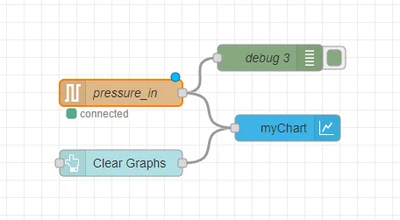
here is my basic flow, but I know it is not easy like this above, so First I checked the data structures chart node can accept and visualise it. And it is:
The following example shows an input msg for a chart node for the variable "var1" :
 {
 "topic":"data",
 "payload":
 {
 "groupname": "groupname1",
 "variablename": "var1",
 "variabledata": [
 {
 "x": "0",
 "y": "1231"
 },
 {
 "x": "1",
 "y": "12"
 },
 {
 "x": "2",
 "y": "3615"
 }
 ]
 }
 }
So I am printing out exactly in this structure but I cant still see anything on the chart. So can anyone shed some light on how to fix it? An example would be nice.
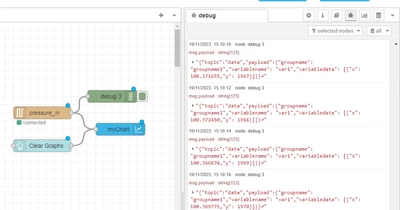
Cheers!