Visitor II
June 1, 2025
Question

Connecting STLink-V3set on win 11, cannot get it to recognize

  • June 1, 2025
  • 5 replies
  • 750 views

Hello,

I am trying to get this STLink-V3set to connect for an STM32 board that my electronics engineer has designed.  Due to being at different locations, I need to get it linked at my location.  Several efforts have been made to install the software, install the driver, look at device manager, etc.  to no avail

1. The COM light goes on when plugged into the USB on the computer

2. The windows tone is heard when the plug in occurs.

3. The STCube software consistently does not recognize the STLink.

Preliminary questions

1. To get a connection shall I have my board attached to the SWD pins or not, shall it be disconnected from my board?

2. Is power supposed to be lit in the interface box? I only get COM to light up, not PWR


How do I get this connection going?

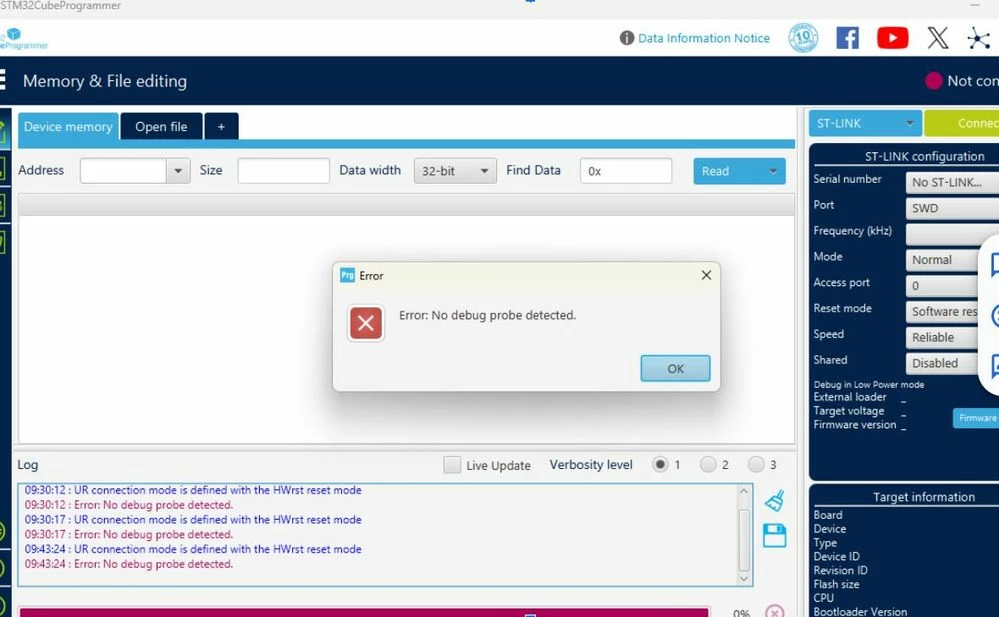
Below is a photo of my hookup, and a screenshot of the typical response I see from the STCube software.

Thanks!
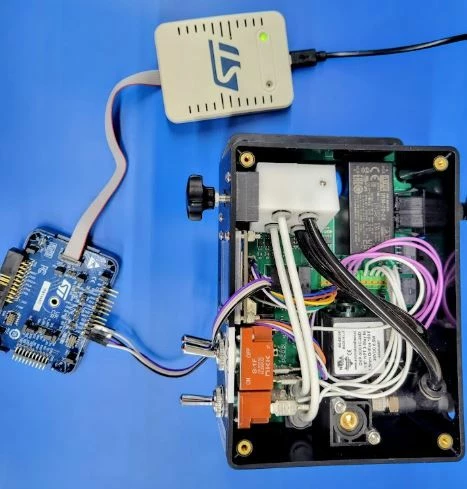
 

001.JPG002.JPG

5 replies

TDK
Super User
June 2, 2025

> 1. To get a connection shall I have my board attached to the SWD pins or not, shall it be disconnected from my board?

Doesn't matter, but disconnect the board while debugging.

> 2. Is power supposed to be lit in the interface box? I only get COM to light up, not PWR

This is normal if your board is self-powered. The programmer doesn't typically provide power.


Does it show up in Device Manager when connected? Show a screenshot. Should show up as a debug probe and a virtual serial port.

"If you feel a post has answered your question, please click ""Accept as Solution""."
Visitor II
September 15, 2025

No activity in this post anymore?

I am doing my first steps with the STLINK-V3SET and have exactly the same effect as stated in points 1 to 3 in the original post.
I tried on two computers:

  • Win11 with drivers and STM32CubeProgrammer installed.
  • Win10 without drivers and no STM-related SW installed.

Furthermore, I tried a bunch of different USB cables and ports. Whatever I do, the Windows device manager shows just a new COM-device but never a device under "Universal serial bus devices".
Something is wrong ... but what?

Thanks for ideas!


TDK
Super User
September 15, 2025

Disconnect the debugger from the target board. Does the ST-Link serial number show up in STM32CubeProgrammer?

"If you feel a post has answered your question, please click ""Accept as Solution""."
Visitor II
September 15, 2025

I did not yet connect the target. Just the ST-LINK is connected to the computer. The programmer states that no ST-LINK is connected. Trying to do so (pressing the Connect button) results in an error message "No debug device found" or similar (have no access to the device just now).

S C
ST Employee
September 17, 2025

OK, I'm sorry but it confirms that your board is not correctly programmed, you will have to ask for an exchange, I hope it's possible ? I would need the serial number to notify the industrial team about the issue, unfortunately you are not the only one, and I hope the SN could help identifying the root cause of the failure

Visitor II
September 22, 2025

Well, have access to the device now again. Here is the SNO:

R250804622

Visitor II
October 6, 2025

How to proceed from here? Whom to contact for an exchange?

S C
ST Employee
October 6, 2025

Hello,

The standard way is to notify the distributor where you bought it, that the product is not functional. He should replace it and manage the case with ST afterwards. You can use this thread if necessary to prove that an analysis from ST has been made, concluding in an issue at production level, and not at your level. If not possible, tell me and I will ask for an alternative, because I don't know currently; the topic was not so common up to recently