
SWO capture in st-link gdb server and STM32CubeProgrammer
I am developing software on Windows using STM32CubeIDE and STM32CubeProgrammer.
I have a question about how to run Debug using the st-link gdb server in a CLI environment.
I want to capture the results of Google Test running on the firmware via SWO output and retrieve them using STM32CubeProgrammer.
However, when I run Debug, the process stops before completion, and I am unable to determine the cause or solution.
[gdb server command line]
> C:\ST\STM32CubeIDE_1.12.1\STM32CubeIDE\plugins\com.st.stm32cube.ide.mcu.externaltools.stlink-gdb-server.win32_2.0.500.202301161003\tools\bin\ST-LINK_gdbserver.exe -p 61234 -l 1 -d -z 61235 -s -cp C:\ST\STM32CubeIDE_1.12.1\STM32CubeIDE\plugins\com.st.stm32cube.ide.mcu.externaltools.cubeprogrammer.win32_2.0.600.202301161003\tools\bin -m 0 -g --frequency 24000 -t
attached file: gdb server console log.txt
Cube Programmer SWO capture
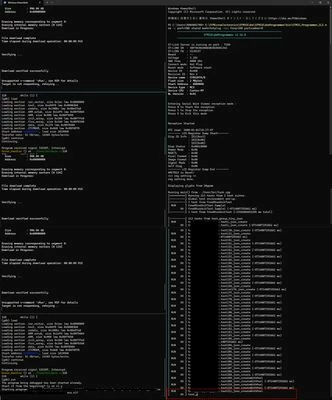
st-link gdb server in STM32CubeIDE (GUI) works correctly.
I am investigating whether there are any issues with the startup parameters of the gdb server or CubeProgrammer.
If you have any ideas on how to resolve this, I would greatly appreciate your help. Thank you in advance.
My environmental information is as follows:
CubeIDE(Windows11) - ST-Link/v2 - device
STM32CubeIDE:Version: 1.12.1 Build: 16088_20230420_1057 (UTC)
STM32CubeProgrammer: v2.16.0
ST-LINK FW: V2J41S7
Device: STM32H7Ax/7Bx