
Question
Debugging Nucleo-H723ZG with Segger J-Link?
I am trying to debug my Nucleo H723ZG board using the CN5 (MIPI10) and a Segger J-Link Pro. But I have tried both methods described in the UM2407 6.3.3 "Using an external debug tool to program and debug the on-boards
STM32H7" and neither allows the J-Link to connect to H7. When I attempt to start a debugging session, I get the following error message:
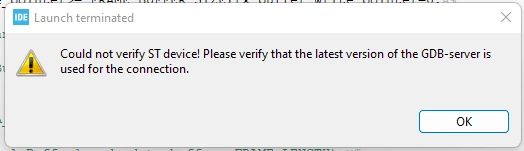
And the J-Link startup dialog looks like this:
SEGGER J-Link GDB Server V7.84e Command Line Version

JLinkARM.dll V7.84e (DLL compiled Feb 1 2023 16:41:41)

Command line: -port 2331 -s -device STM32H723ZG -endian little -speed 4000 -if swd -vd
-----GDB Server start settings-----
GDBInit file: none
GDB Server Listening port: 2331
SWO raw output listening port: 2332
Terminal I/O port: 2333
Accept remote connection: localhost only
Generate logfile: off
Verify download: on
Init regs on start: off
Silent mode: off
Single run mode: on
Target connection timeout: 0 ms
------J-Link related settings------
J-Link Host interface: USB
J-Link script: none
J-Link settings file: none
------Target related settings------
Target device: STM32H723ZG
Target device parameters: none
Target interface: SWD
Target interface speed: 4000kHz
Target endian: little

Connecting to J-Link...
J-Link is connected.
Firmware: J-Link Pro V4 compiled Sep 22 2022 15:00:37
Hardware: V4.00
S/N: 174403180
Feature(s): RDI, FlashBP, FlashDL, JFlash, GDB
Checking target voltage...
Target voltage: 3.32 V
ERROR: Failed to listen at socket (Err = -1)
ERROR: Failed to open listener port 2331
Restoring target state and closing J-Link connection...
Shutting down...
Failed to open listener port 2331
This appears to be an issue with the GDB server, but I can't figure out why? Or perhaps it might be that the CPU is not running?
Any thoughts would be appreciated.
Thanks,
MikeH