

Cube IDE 1.16.0 and STlink v3 - cannot find debugger
This sort of thing is a way of life with these ST tools (been using Cube IDE for 6 years on this project) but this one I am unable to fix. Is there some special setting needed under Debug (under project/properties)?
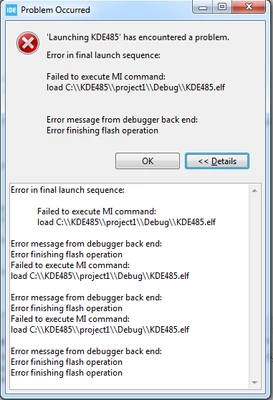
STMicroelectronics ST-LINK GDB server. Version 7.8.0
Copyright (c) 2024, STMicroelectronics. All rights reserved.
Starting server with the following options:
Persistent Mode : Disabled
Logging Level : 1
Listen Port Number : 61234
Status Refresh Delay : 15s
Verbose Mode : Disabled
SWD Debug : Enabled
ST-LINK device status: UNKNOWN
Waiting for debugger connection...
Debugger connected
Waiting for debugger connection...
Debugger connected
Waiting for debugger connection...
Encountered Error when opening C:\ST\STM32CubeIDE_1.16.0\STM32CubeIDE\plugins\com.st.stm32cube.ide.mcu.externaltools.cubeprogrammer.win32_2.1.400.202404281720\tools\bin\STM32_Programmer_CLI.exe
Error in STM32CubeProgrammer
Shutting down...
Exit.
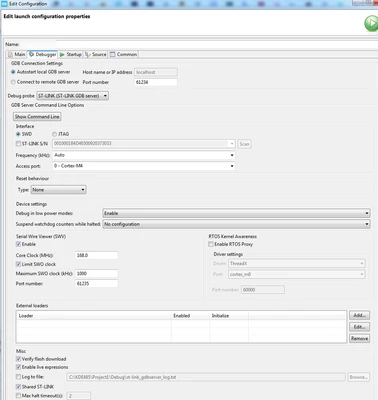
I've tried 2 x STLINK ISOL V3 and a STLINK ISOL v2. No success.