Bwang.3
Associate III
May 19, 2024
Solved

Error message while using AutoDevKitStudio-2.1 OpenOCD! Hope to be resolved!

  • May 19, 2024
  • 1 reply
  • 592 views

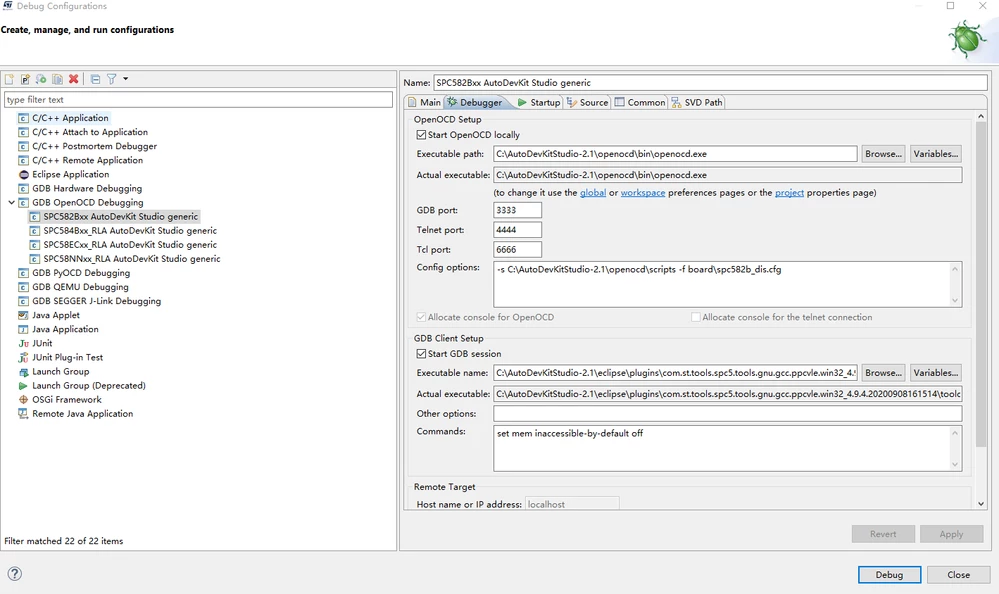
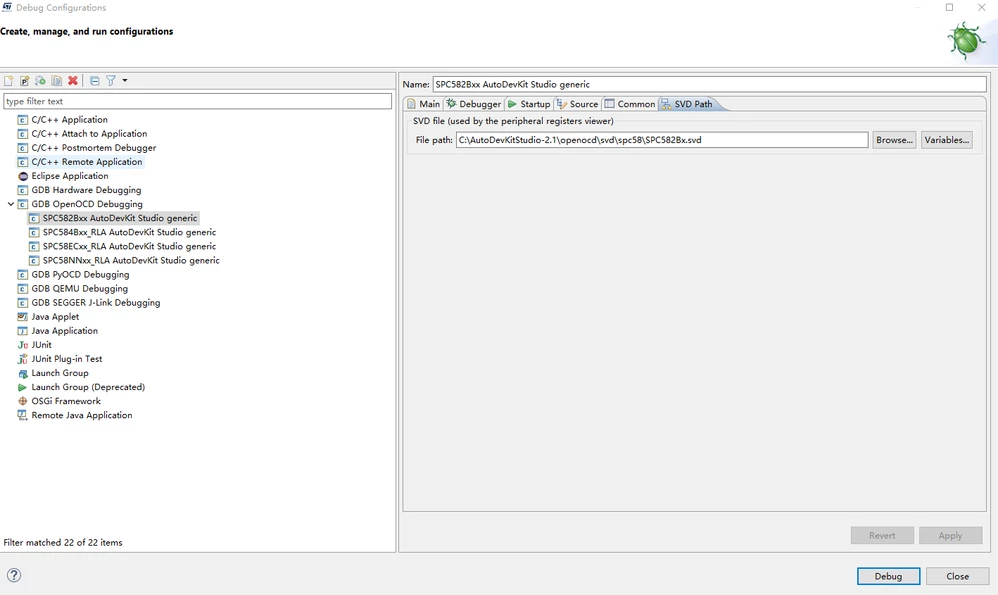
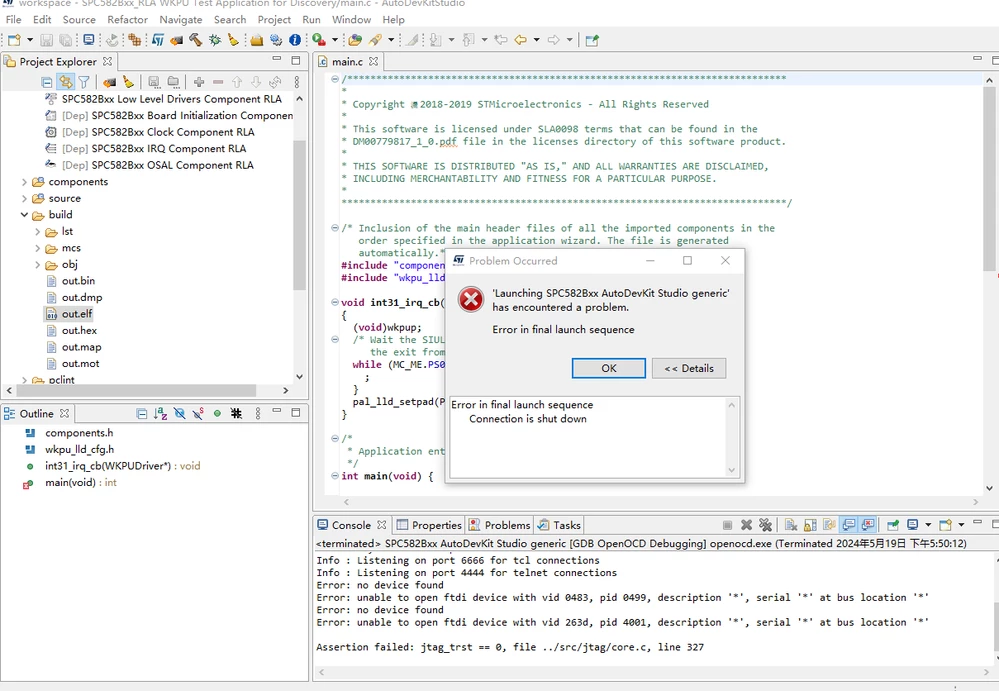
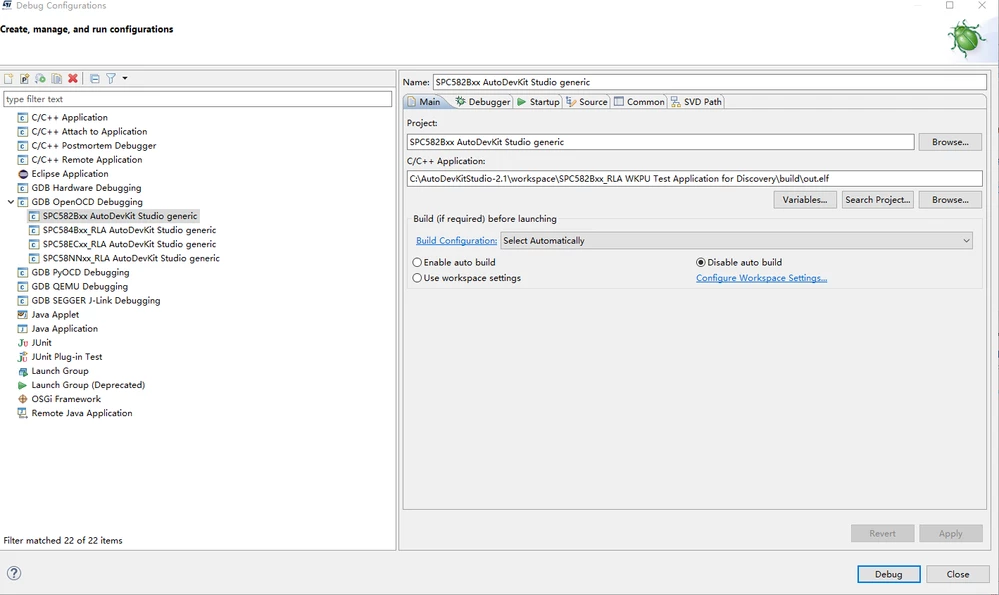
I am programming SPC582Bxx-RLA WKPU Test Application for Discovery using the SPC582860E1 development board! But when downloading the program using OpenOCD steps, the following error message will appear! As shown in the following picture! And I also took a screenshot of my configuration settings. I hope everyone can help me analyze the solution! Thank you.
QQ图片20240519180728.pngQQ图片20240519180722.pngQQ图片20240519180716.pngQQ图片20240519180708.png

Best answer by ATROI

Hi Bwang,

to solve this error pls execute the steps below: 

step1: go in C:\{installation folder}\openocd\drivers.

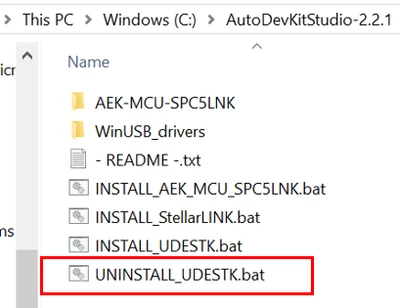
step2: run as administrator the file UNISTALL_UDESTK.bat

ATROI_0-1716191681551.png

step3: run as administrator the file INSTALL_UDESTK.bat

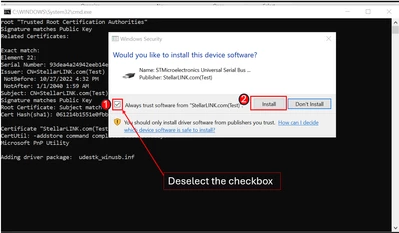
Three times the following window will appear where you need to uncheck the checkbox and after press the Install button.

ATROI_1-1716192031160.png

at this point try to run the debugger.

Thanks,

AutoDevKit Team


1 reply

ATROI
ATROIBest answer
ST Employee
May 20, 2024

Hi Bwang,

to solve this error pls execute the steps below: 

step1: go in C:\{installation folder}\openocd\drivers.

step2: run as administrator the file UNISTALL_UDESTK.bat

ATROI_0-1716191681551.png

step3: run as administrator the file INSTALL_UDESTK.bat

Three times the following window will appear where you need to uncheck the checkbox and after press the Install button.

ATROI_1-1716192031160.png

at this point try to run the debugger.

Thanks,

AutoDevKit Team