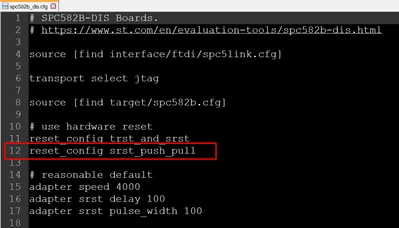
OpenOCD common error .cfg path not found
Hi,
If you are getting this kind of error when you try to run your OpenOCD in AutoDevKit Studio 2.2.1:
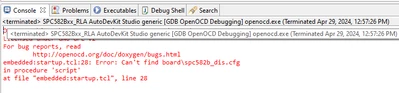
Then most probably you have not updated the search path of the config files.
From main AutoDevKit menu, select Run > Debug Configurations
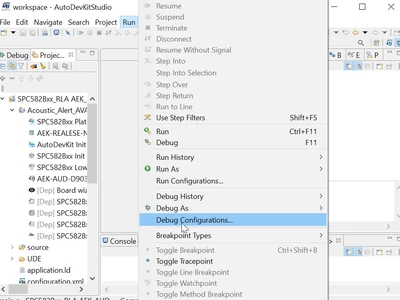
In the new window, select “GDB OpenOCD Debugging” drop down and the “SPC582Bxx_RLA AutoDevKit Studio generic” entry.
On the right hand-side, please choose the tab “Debugger”
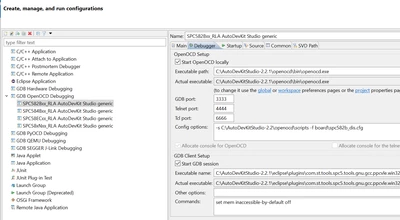
The issue is in the “Config options” field. The path present should be identical to your installation path.
If you did not change anything from the installation default, the correct path should be:
C:\AutoDevKitStudio-2.2.1\openocd\scripts
If you installed under other path, please put the correct installation path.
Repeat the same procedure for all the generic AutoDevKit Studio per type of microcontroller.
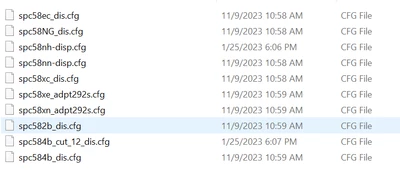
To double check, you can look at the installation file and check for the missing .cfg file:
In standard case, the installation path is:

The file presents are:
Best Regards,
AutoDevKit Team