

Question
Generate the drivers in SPC5 studio
Hi everyone,
Iam saravanan working as Embedded software developer at iELEKTRON Technologies
We are kick start our BLDC driver development project for that Our hardware team selected the SPC5P series controller ,then we ordered the Evaluation kit which is arriving next week
before that we are analysing the SPC Envoinment for that i downloaded the SPC5 studio in that we have some quries
1.First from some documentation i found that create a SPC5 project then in the Screenshot (i added the component to the SPC560pxx Platform Component RLA) 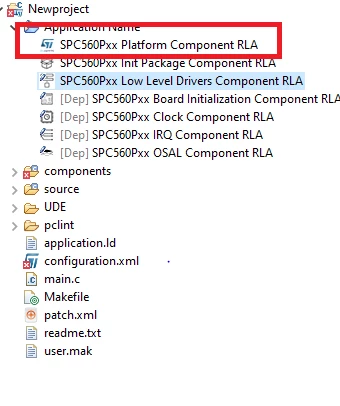 2.Can anyone help me how to configure the GPIO,UART,SPI etc and generate the drives is any documents available or any video refernce for SPC560p controller
Please help us on this regard
thanks in advance