

How to get less text on output while bulding a project in SPC5Studio?
I have a quite big project for SPC582B in SPC5Studio.
When I am building entire project - a lot of temporary files (really A LOT!) content is printed on the console. It takes literally over a 2 minutes to wait for the compilation to finish.
UDE STK finds new out.elf about 40s after start of building, this is also the time of building counted by SPC5Studio (as I have about 40 files - it is reasonable):
12:19:40 Build Finished (took 41s.5ms)But I need to wait over 2 minutes for the SPC5Studio finishes printing the output.
Build Log file has over 20MB and it seems all to be printed at console.
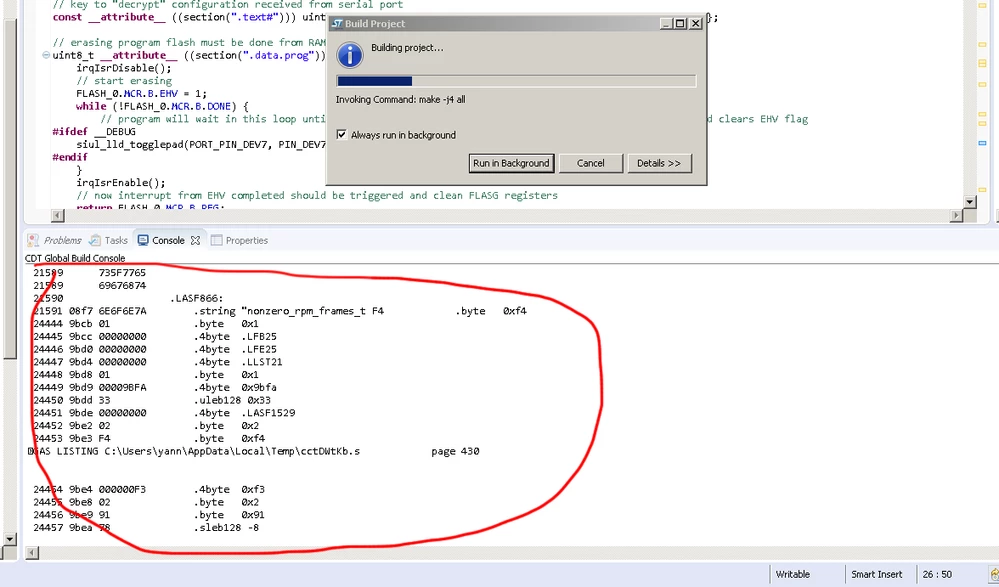
How to get rid of all these temporary files from the output console? I'd like to have only errors and warnings there, but because of vast useless texts I can't even see error messages.
Switching "Use verbose compile" setting does not change anything.
Best Regards,
Yannek