Solved
How to test SPC582B CAN Communication?
Hello,
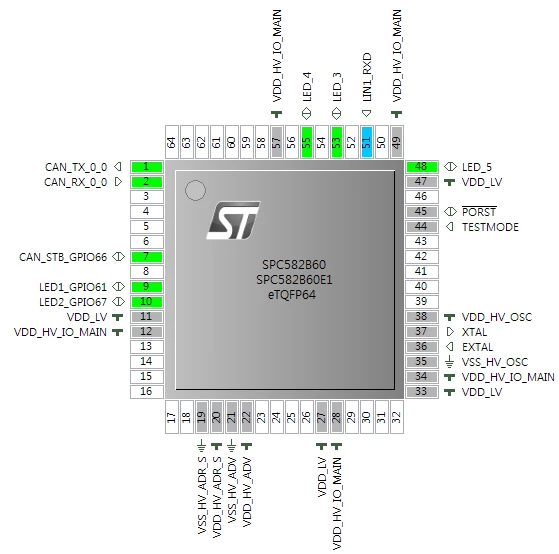
I have two board with SPC582B 64Pin.
i want to test CAN communication each other.
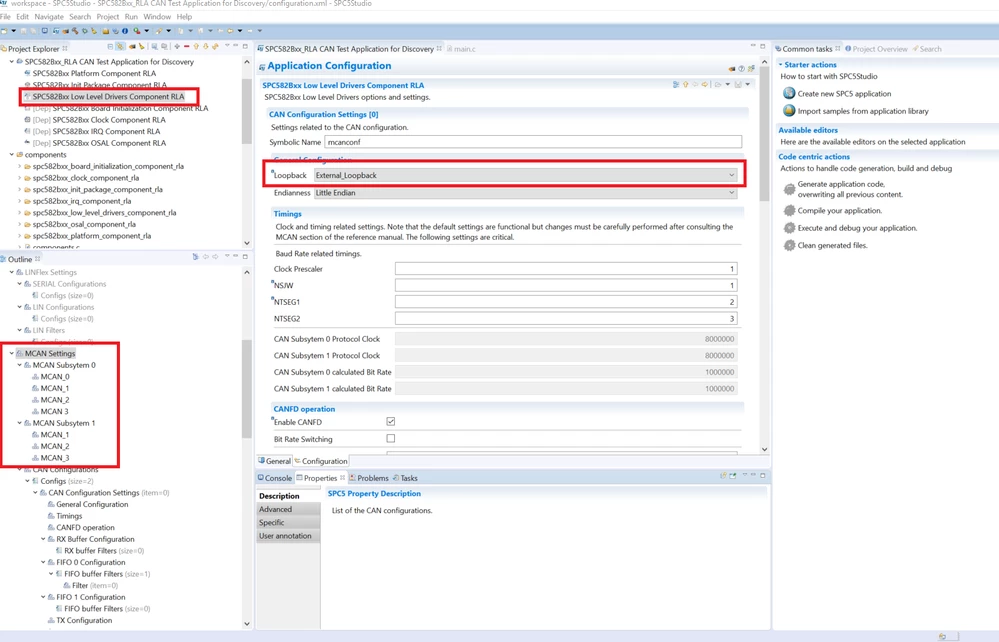
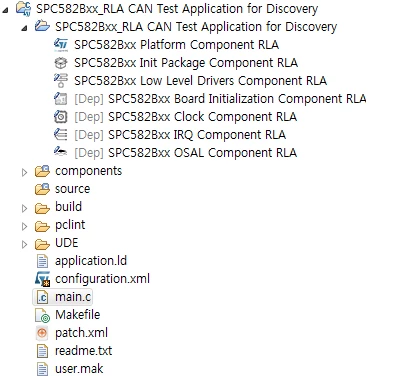
i did import sample what "SPC582BxxRLA CAN Test Application for Discovery"
and i want to use CAN port - 1, 2
i don't know how can i make code.
/*
 SPC5 RLA - Copyright (C) 2016 STMicroelectronics

 Licensed under the Apache License, Version 2.0 (the "License").
 You may not use this file except in compliance with the License.
 You may obtain a copy of the License at

 http://www.apache.org/licenses/LICENSE-2.0

 Unless required by applicable law or agreed to in writing, software
 distributed under the License is distributed on an "AS IS" BASIS,
 WITHOUT WARRANTIES OR CONDITIONS OF ANY KIND, either express or implied.
 See the License for the specific language governing permissions and
 limitations under the License.
*/

/* Inclusion of the main header files of all the imported components in the
 order specified in the application wizard. The file is generated
 automatically.*/
#include "components.h"
#include "can_lld_cfg.h"

static uint32_t counter;

/* mcanconf is configured to use also CANFD operation
 * uncommenting following define will allow test application
 * to send and recevie CANFD frames on MCAN SUB 0 CAN 1*/
//#define USE_CANFD

/* comment this define and remove the callback field
 * in the configurator if you want to use the can_lld_receive
 * instead of the read callback routines
 */
#define USE_READ_CALLBACK

/* Use this define and remove the callback field
 * in the configurator if you want to use the can_lld_receive
 * instead of the read callback routines
 */
#define USE_READ_FUNCTION

/**
 * MCAN Error callbacks
 *
 * canp pointer to the @p CAN Driver object triggering the error
 * psr Protocol Status Register logging the error
 *
 * If error callback is defined , this function will be called when following errors occur:
 * - WDI: Watchdog Interrupt
 * - BO: BusOff
 * - EW: Warning Status
 * - EP: Error Passive
 * - ELO: Error Logging Overflow
 * - BEU: Bit Error Uncorrected
 * - BEC: Bit Error Corrected
 * - TOO: Timeout
 * - ARA: Access to reserved address
 * - PED: Protocol Error In Data Phase
 * - PEA: Protocol error in Arbitration Phase
 * - MRAF: Message RAM access Failure
 *
 * MCAN_ERROR_MASK defined in platform.h contains bit map for these errors. refer to RM
 * if you want to change errors trapped.
 */
void mcanconf_errorcb(CANDriver *canp, uint32_t psr){
 /* write error management code here */
 (void)canp;
 (void)psr;
}

#if defined USE_READ_CALLBACK
void mcanconf_fiforx(uint32_t msgbuf, CANRxFrame crfp) {
#ifdef USE_CANFD
 if (crfp.OPERATION == CAN_OP_CANFD) {
#endif
 if (crfp.ID == 0x7f0U) {
 if (crfp.data32[1] == counter) {
 	 pal_lld_togglepad(PORT_E, LED_4);
 }
 }
#ifdef USE_CANFD
 }
#endif
 (void)msgbuf;
}

void mcanconf1_rxreceive(uint32_t msgbuf, CANRxFrame crfp) {
 if (crfp.ID == 0x8901234UL) {
 if (crfp.data32[1] == counter) {
 	pal_lld_togglepad(PORT_A, LED_3);
 }
 }
 (void)msgbuf;
}
#endif
/*
 * Application entry point.
 */
int main(void) {

 CANTxFrame txf, txf1;
 uint32_t returnvalue;

 /* Initialization of all the imported components in the order specified in
 the application wizard. The function is generated automatically.*/
 componentsInit();

 /* Enable Interrupts */
 irqIsrEnable();

 can_lld_start(&CAND2, &can_config_mcanconf); /*MCAN SUB 0 CAN 1*/
 can_lld_start(&CAND7, &can_config_mcanconf1); /*MCAN SUB 1 CAN 1*/
 can_lld_start(&CAND1, &can_config_mcanconf1); /*tool test BJ*/

 /* prepare frame to be transmitted on MCAN SUB 0 CAN 1*/
 txf.TYPE = CAN_ID_STD;
 txf.ID = 0x7f0U;
 txf.DLC = 8U;
 txf.data32[0] = 0xDDEEFFAAUL;
#ifdef USE_CANFD
 txf.OPERATION = CAN_OP_CANFD;
#endif

 /* prepare frame to be transmitted on MCAN SUB 1 CAN 1*/
 txf1.TYPE = CAN_ID_XTD; //확장형태 29bit
 txf1.ID = 0x8901234;
 txf1.DLC = 8U;
 txf1.data32[0] = 0xAABBCCDDUL;

 txf.TYPE = CAN_ID_STD; // 표준형태 11bit
 txf.ID = 0x7f0U;
 txf.DLC = 8U;
 txf.data32[0] = 0xDDEEFFAAUL;
 counter = 0UL;

 /* Application main loop.*/
 for (;;) {


	 //pal_lld_togglepad(PORT_D, LED1_GPIO61);
	 //pal_lld_togglepad(PORT_E, LED2_GPIO67);

 txf.data32[1] = counter;
 txf1.data32[1] = counter;

 returnvalue = can_lld_transmit(&CAND2, CAN_ANY_TXBUFFER, &txf);
 osalThreadDelayMilliseconds(1);
 if (returnvalue != CAN_MSG_OK) {
 for (;;) {

 }
 }
 returnvalue = can_lld_transmit(&CAND7, CAN_ANY_TXBUFFER, &txf1);
 osalThreadDelayMilliseconds(1);
 if (returnvalue != CAN_MSG_OK) {
 for (;;) {

 }
 }
 returnvalue = can_lld_transmit(&CAND1, CAN_ANY_TXBUFFER, &txf);
 osalThreadDelayMilliseconds(1);
 if (returnvalue != CAN_MSG_OK) {
 for (;;) {

 }
 }


#if defined USE_READ_FUNCTION
 {
 CANRxFrame rxf;

 returnvalue = can_lld_receive(&CAND2, CAN_FIFO0_RXBUFFER, &rxf);
#ifdef USE_CANFD
 if (rxf.OPERATION == CAN_OP_CANFD) {
#endif
 if (returnvalue == CAN_MSG_OK) {
 if (rxf.ID == 0x7f0U) {
 if (rxf.data32[1] == counter) {
 	pal_lld_togglepad(PORT_E, LED_4);
 	//pal_lld_togglepad(PORT_D, LED1_GPIO61);
 }
 }
 }
#ifdef USE_CANFD
 }
#endif
 returnvalue = can_lld_receive(&CAND7, CAN_ANY_RXBUFFER, &rxf);
 if (rxf.ID == 0x8901234UL) {
 if (rxf.data32[1] == counter) {
 	pal_lld_togglepad(PORT_A, LED_3);
 	//pal_lld_togglepad(PORT_D, LED1_GPIO61);
 }
 }
 returnvalue = can_lld_receive(&CAND1, CAN_ANY_RXBUFFER, &rxf);
 if (rxf.ID == 0x7f0U) {
 if (rxf.data32[1] == counter) {
 	pal_lld_togglepad(PORT_A, LED_3);
 	pal_lld_togglepad(PORT_D, LED1_GPIO61);
 }
 }
 }
#endif

 osalThreadDelayMilliseconds(250);
 counter++;
 }
}