Alexey Potyomkin
Associate
January 22, 2017
Solved

Initialization MCU

  • January 22, 2017
  • 1 reply
  • 1023 views
Posted on January 22, 2017 at 12:34

0690X0000060Mq1QAE.jpg0690X00000603SwQAI.jpg0690X00000603SxQAI.jpg

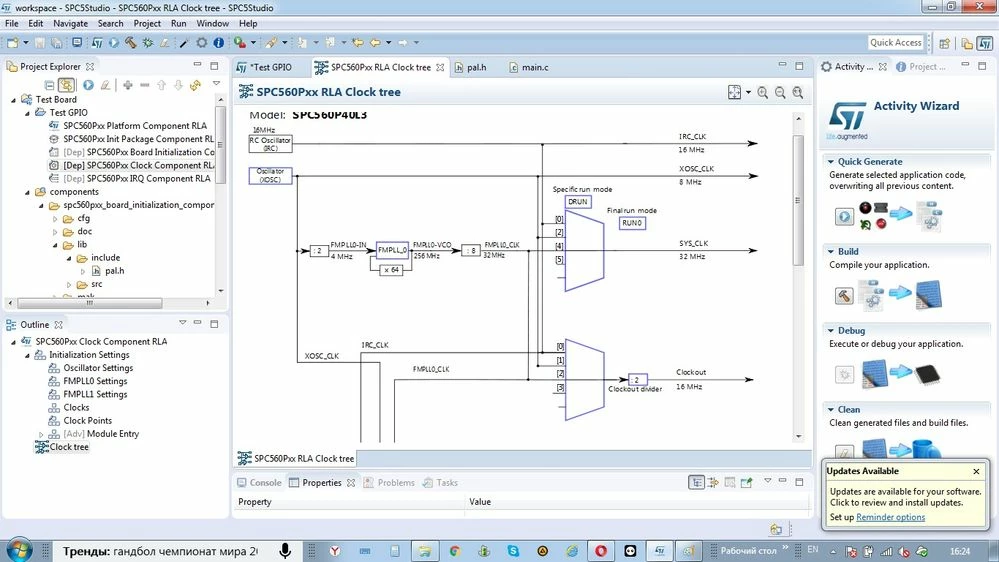
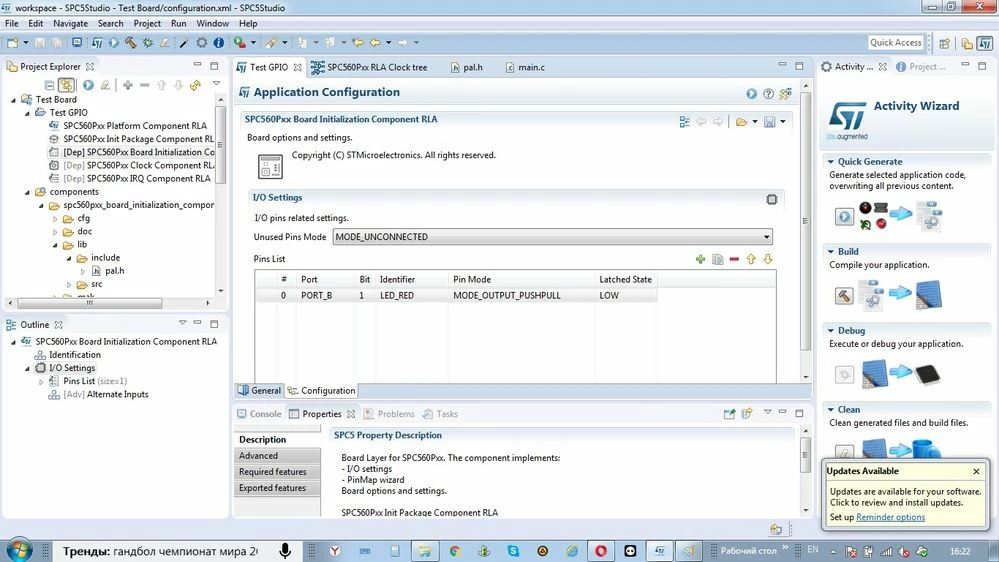
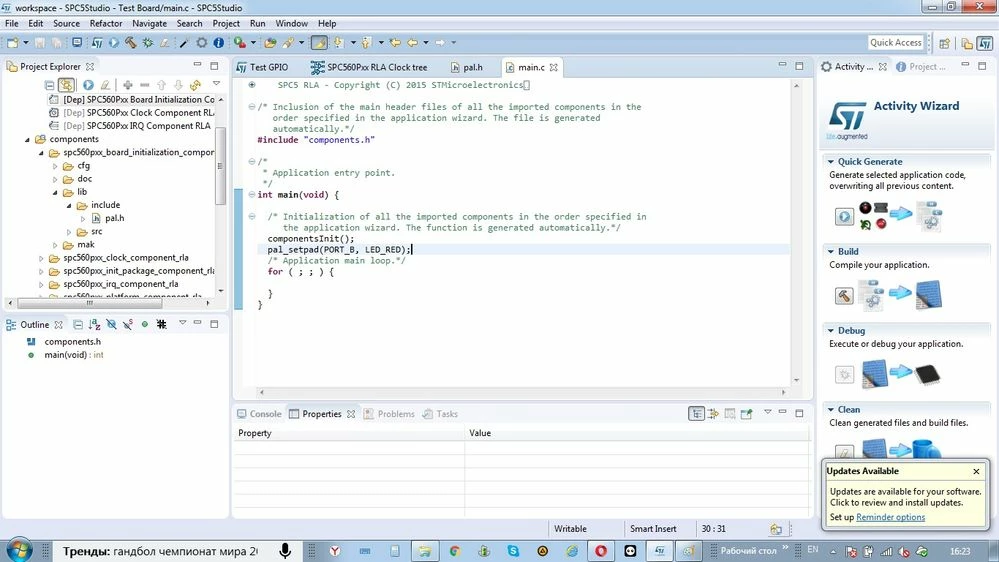
Good day. This my first application on spc5 studio. I add for testing one led on Port B[1] to board witch MCU SPC560P40L3. I add in generate main.c file one sting -pal_setpad(PORT_B, LED_RED);. Pin will add pin-list, and adjust Clock timing for osc=8000000 Hz.

Afte download outfile out.hex to MCU and start application-pin not state low or hich. Pin state Z(hich impedance).

I need help

to make the right initialization MCU. I try other test application. Not working.

Best regards.
    This topic has been closed for replies.
    Best answer by Erwan YVIN
    Posted on January 24, 2017 at 11:34

    Hello Alexey ,

    Welcome to SPC5Studio world ;)

    i think that your clock configuration is not correct.

    Do you use SPC560Pxx Discovery Board or SPC56Pxx Motherboard and Minimodule

    There is some Test Applications examples for these 2 Hw (RLA & HAL) in the application wizard.

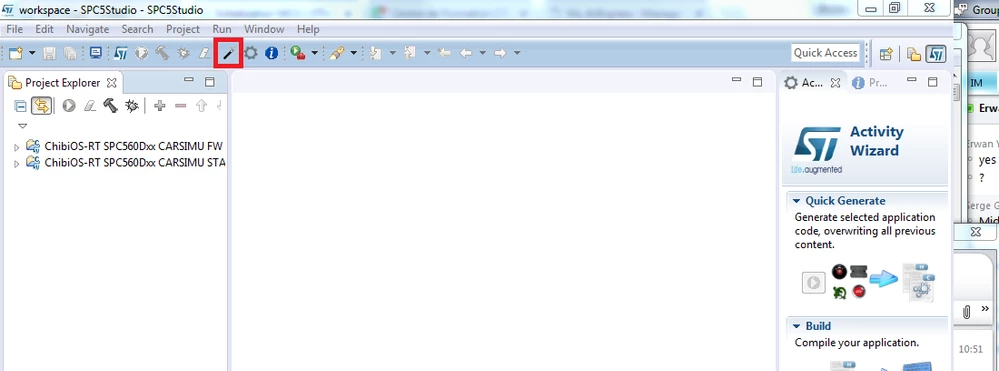
    You can import them by using the magic stick cf screenshot

    0690X000006068KQAQ.png

       Best Regards

            Erwan

    1 reply

    Erwan YVIN
    Erwan YVINBest answer
    ST Employee
    January 24, 2017
    Posted on January 24, 2017 at 11:34

    Hello Alexey ,

    Welcome to SPC5Studio world ;)

    i think that your clock configuration is not correct.

    Do you use SPC560Pxx Discovery Board or SPC56Pxx Motherboard and Minimodule

    There is some Test Applications examples for these 2 Hw (RLA & HAL) in the application wizard.

    You can import them by using the magic stick cf screenshot

    0690X000006068KQAQ.png

       Best Regards

            Erwan

    Alexey Potyomkin
    Associate
    January 29, 2017
    Posted on January 29, 2017 at 18:49

    Thanks. Solved. Select HAL confuguration, selekt not init, manualy configurating clocking module, editing hal_lld.c