
yakdagg
Associate II
November 25, 2021
Solved

UDESTK on SPC5

  • November 25, 2021
  • 4 replies
  • 1399 views

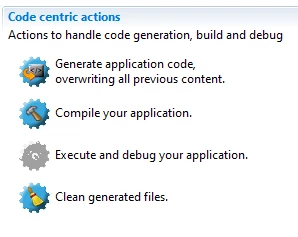
I couldn't find how to add UDESTK's debug screen to my SPC5, can you suggest me the correct way ?0693W00000GYsOyQAL.png
    This topic has been closed for replies.
    Best answer by Erwan YVIN

    Hello ,

    SPC5Studio 6.0 is a 64bits Version based

    and PLS UDE Plugin Eclipse based is a 32 bits. (not compliant)

    there is a change request in PLS side to provide a 64bits version.

    it is still ongoing.

    Best regards

    Erwan

    4 replies

    HNGUY.2
    Visitor II
    November 25, 2021

    Hello,

    Please try to set UDE Visual Platform as the default apps for file .wsx and .wsp on windows settings.

    Regards,

    yakdagg
    yakdaggAuthor
    Associate II
    November 25, 2021

    when I did what did you say, it s opening UDESTK but still working on own app, not in SPC5. how can I combo them on SPC5 ? if I try add new debug profile, it s show "Plug-in com.pls.ude.eclipse was unable to load class com.pls.ude.eclipse.cdtinterface.UDELaunchConfigurationTabGroup.

    An error occurred while automatically activating bundle com.pls.ude.eclipse (640)."

    please show me a solution.

    0693W00000GYtDMQA1.png

    Erwan YVIN
    Erwan YVINBest answer
    ST Employee
    November 25, 2021

    Hello ,

    SPC5Studio 6.0 is a 64bits Version based

    and PLS UDE Plugin Eclipse based is a 32 bits. (not compliant)

    there is a change request in PLS side to provide a 64bits version.

    it is still ongoing.

    Best regards

    Erwan

    yakdagg
    yakdaggAuthor
    Associate II
    November 26, 2021

    thank you Erwan. it s all clear now :)
