

Help others to solve their issues
- July 18, 2023
- 6 replies
- 5132 views
“Accepted solutions” are much more than a simple green checkmark next to a subject. They are instrumental in helping community members find answers to their questions faster and more effectively. The “Accepted solutions” mark also helps community members move up the ranks in the ST Community and become known as true experts in their field.
Here is how you can use “Accepted solutions” to reward community members who have helped you and contribute to the growth and quality of the ST Community, benefiting all members, including yourself:
- Post your question in the community following the instructions from our “How to Post” tutorial.
- Wait for a reply from one of our experts, a community member, or an ST employee.
- Continue the conversation if needed until a solution is found.
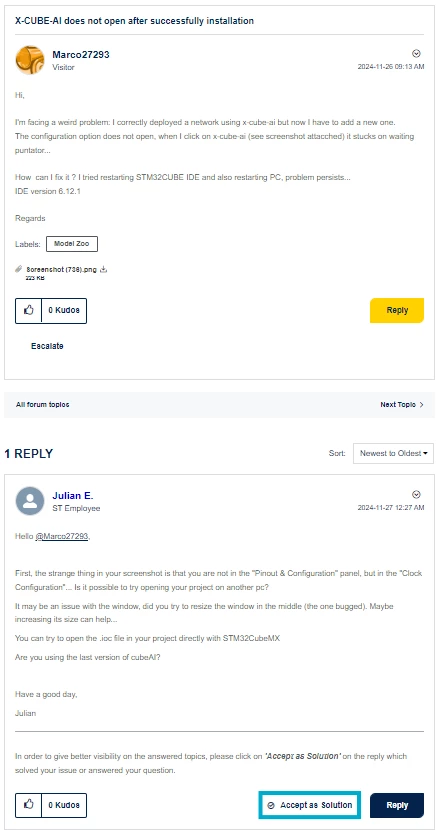
- Once your initial question has been answered, click on "Accept as Solution" on the post, which solved your issue or answered your question:
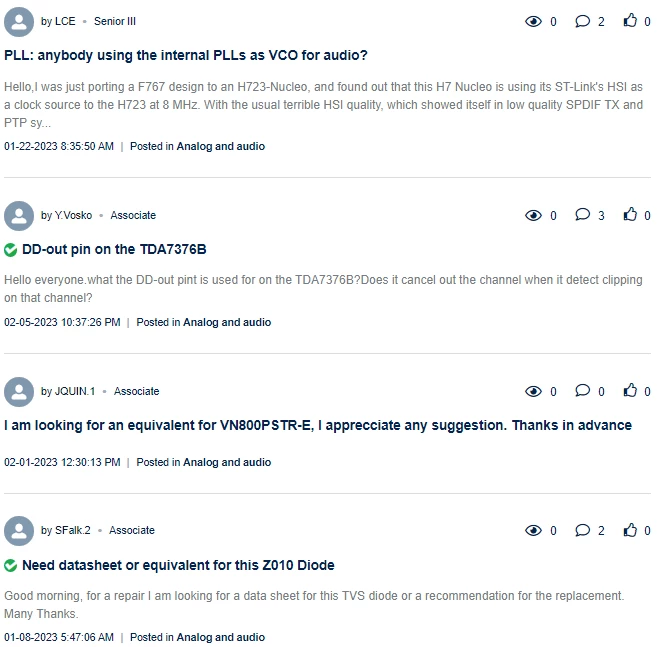
Threads marked as “Accepted solutions” stand out from the discussion threads and help you and others find a solution more easily:
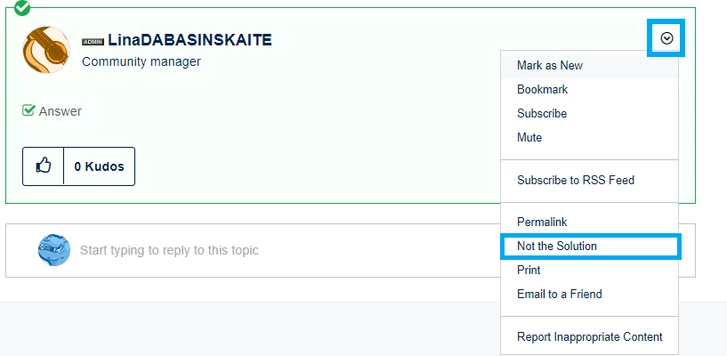
If you accidentally choose the wrong post as the solution, you can revert this action by clicking Not the Solution and selecting the correct one again:
Important:
- The actions "Accept as Solution" and "Not the Solution" are restricted to the author of the post and community moderators only.
- After your initial question is resolved, please start a new post for any additional questions instead of adding them to the same conversation.
- If you face any difficulties, please mark the post "Report Inappropriate Content" and the forum moderators will take the respective action.
Thank you for helping us make the ST Community an even better place to get answers and solve issues.