

Community Manager
July 3, 2024
How to a change linear format to a threaded format
- July 3, 2024
- 0 replies
- 2193 views
There are two formats of displaying threads:
- Linear format (default) - all replies are in one line with the opening post.
- Threaded format - replies are shifted to the right in relation to the posts that they reply to.
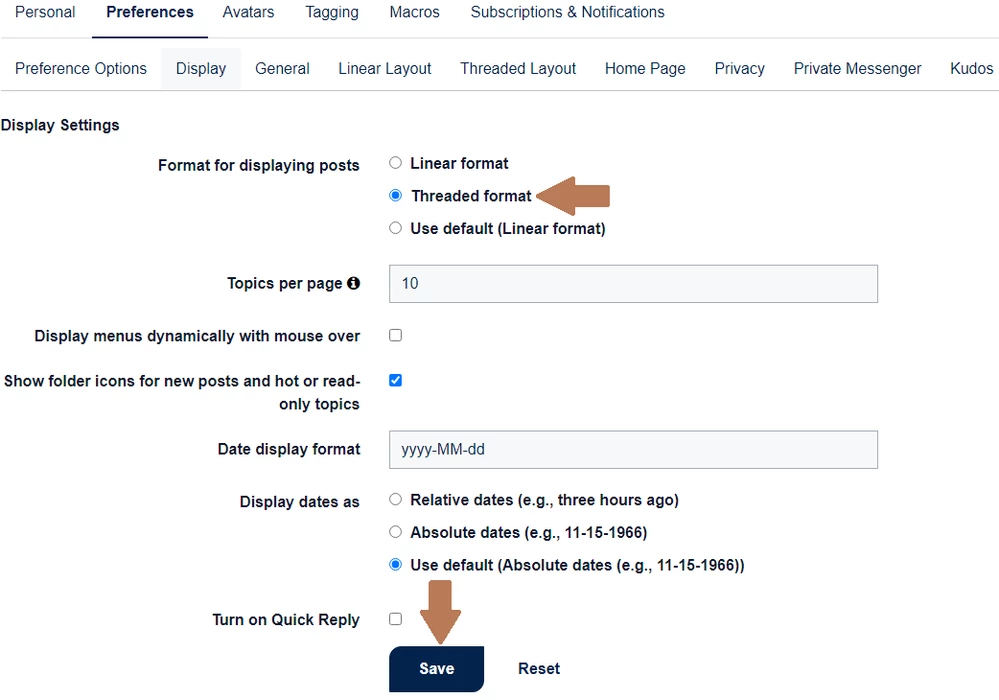
To switch from linear (default) to threaded format, follow these steps:
- Click on your avatar in the upper right corner and choose “My settings”:

- Go to “Preferences” > “Display” and choose the “Threaded format”. Once you have made the preferred changes, click “Save”.
Related article: How to set up your profile - STMicroelectronics Community