
Associate II
October 2, 2025
Question

INTERNAL ERROR: Order of dimensions of input cannot be interpreted

  • October 2, 2025
  • 2 replies
  • 481 views

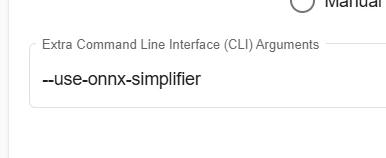
Im getting this error and dont understand the problem. I tried adding the suggested "--use-onnx-simplifier" from another post in the Web Command line but it didnt look like it took, here is the output:


>>> stedgeai analyze --model version-RFB-320.onnx --st-neural-art custom@/tmp/stm32ai_service/7f0992f6-31d1-46c4-892e-ecc0375878b5/profile-4de288e7-27c5-4d83-814b-a8f7038dc635.json --target stm32n6 --optimize.export_hybrid True --name network --workspace workspace --output output ST Edge AI Core v2.2.0-20266 2adc00962 WARNING: Unsupported keys in the current profile custom are ignored: memory_desc > memory_desc is not a valid key anymore, use machine_desc instead INTERNAL ERROR: Order of dimensions of input cannot be interpreted
 

comlou_0-1759371110078.png

I have also tried to use a transpose layer to order the inputs like [1,H, W, C] and that still caused this problem. Is there a way to have more verbose output then what i have, its not super helpful as to what to fix. I tried the transpose and spent lots of time figuring this out and to no evail, because it said it didnt like the order of the input. Please help, thanks.

2 replies

Visitor II
October 2, 2025

This error usually happens because STM32 AI tools expect the input dimensions in a specific order. By default, models should be in NCHW format [batch, channels, height, width]. If your ONNX is exporting in [1, H, W, C] (NHWC), the tool can’t interpret it correctly.

A few things you can try:

  1. Re-export the PyTorch model → ONNX with --dynamic_axes set, making sure the input is [1,3,H,W].

  2. Run the onnx-simplifier locally before uploading:

     
    python3 -m onnxsim input.onnx output.onnx

    (sometimes the Web UI flag doesn’t actually apply simplification).

  3. Use Netron to inspect your ONNX file and verify input shape order.

  4. If you still get errors, try converting to TFLite first with the correct input layout, then import into STM32Cube.AI.

I’ve run into similar issues when working on game-related optimizations for my own projects, and I documented some at https://tekan3apk.com while experimenting with model conversions. Checking the ONNX input format with Netron usually points you in the right direction.

Julian E.
Technical Moderator
October 2, 2025

Hello @comlou,


Thank you for your message and models.


It seems that there is an issue in the node 469 and the st edge ai core generation:

JulianE_1-1759394308159.png


I contacted the dev team to have more information.

I will update you when I get any news.


Have a good day,

Julian


​In order to give better visibility on the answered topics, please click on 'Accept as Solution' on the reply which solved your issue or answered your question.
comlouAuthor
Associate II
October 2, 2025

Julian,

Thanks for looking into this, it's greatly appreciated. How did you get to that conclusion, is there debug info I'm missing?

Julian E.
Technical Moderator
October 2, 2025

Hello @comlou,


There is the possibility to print more log by running "export _DEBUG=2" (on a git bash, it may be different depending on the terminal you use).

To be honest, it is mainly for the dev team, you will see that it is very hard to understand. 
I myself can only kind of see where the issue is coming from.


So, you did not miss anything. 


Here is the comment of the dev team:

The specific issue for this model is the end attribute of the slice layer. The value is 9223372036854775807 which is MAX_INT64. The special case of 9223372036854775807 is recognized in some cases (not sure if it is for attribute, input or both) but MAX_INT64 is never recognized. To be checked but replacing it with 4 (the shape size on that axis) should solve the problem.


To comment on that, if you open the model with netron and look at the slice layer, you will see that the "ends" parameter is set to this max value 9223372036854775807.

You can try to use onnx and/or onnx graph surgeon to try editing the graph to set this value to 4 (in the log of the core, you can see that the value it was expecting was 4).


I tried some things, but I think I get stuck due to opset/ir versions. 

Could you try on your side, maybe needing to export your model again with different opset version.


Have a good day,

Julian

​In order to give better visibility on the answered topics, please click on 'Accept as Solution' on the reply which solved your issue or answered your question.