

STM32N6570-DK not showing COM port in STM32Cube.AI Studio
Hi everyone,
I’m having an issue connecting my STM32N6570-DK board to STM32Cube.AI Studio.
The board is detected correctly by my computer, and I can see the COM port in Windows Device Manager. However, when I open STM32Cube.AI Studio and go to Board Settings, the COM port list is empty, so I cannot select the board.
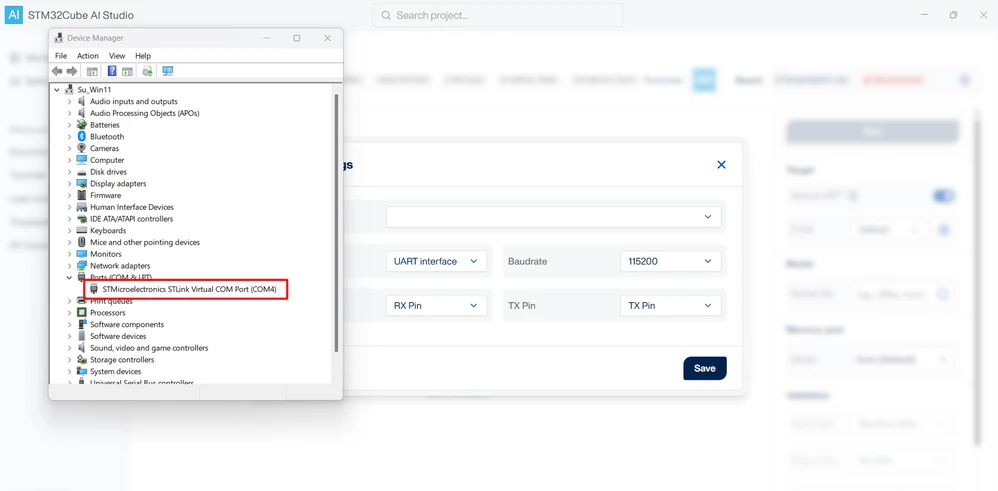
Here is what I have already checked:
The board is connected via USB and recognized by Windows.
The COM port appears normally in Device Manager.
I set the board to DEV mode with Switch 1 = HIGH.
I restarted STM32Cube.AI Studio and reconnected the board.
Despite this, the COM port does not appear in the Board Settings dropdown in STM32Cube.AI Studio.
Has anyone encountered this issue before with the STM32N6570-DK or similar boards?
Is there any additional configuration or driver required for STM32Cube.AI Studio to detect the COM port?
Any help would be greatly appreciated. Thanks!
Best regards.