

QLu.2
Visitor II
January 8, 2021
Question

X-Cube-AI 5.2.0 ONNX model validation error

  • January 8, 2021
  • 2 replies
  • 988 views

Hi, when I was validating an ONNX model on target (STM32F769I-DISCO), I got the following error:

-- Running STM32 C-model - done (elapsed time 5.952s) 

-- Running original model 

TOOL ERROR: cannot import name 'get_all_providers'

What does "running original model" mean? How to fix this?

My understanding is that the model ran well on STM32. If this is the case, is there any way to skip "running original model" and see my validation results?

(The ONNX model passed "analyze" in CubeMX. OS Windows 10, STM32CubeMX 6.1.1.)

Any help?
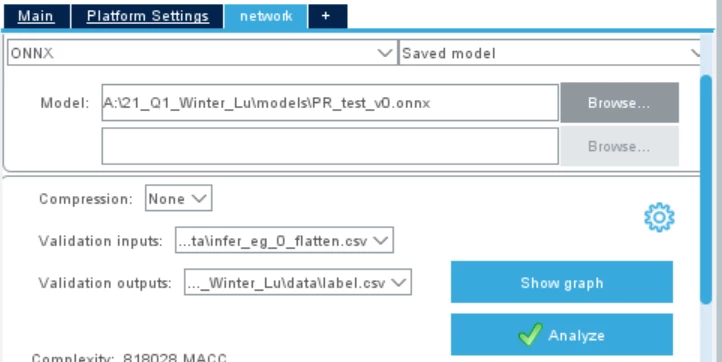
0693W000006HvtzQAC.png

    This topic has been closed for replies.

    2 replies

    fauvarque.daniel
    ST Employee
    January 8, 2021

    We are using the onnxruntime to run the inference on the PC and compare the results with the X-Cube-AI generated code.

    Sometime, a layer supported by X-Cube-AI is actually not correctly supported by the onnxruntime.

    Could you share your network (or an extract of it) so we could confirm this hypotheses ?

    Thanks in advance

    Regards

    Daniel

    ST Employee
    January 8, 2021

    Hi,

    If you want to perform a validation of the generate code w/o the execution of the original model (input and outputs should be provided by the user), you can use the "--no-exec-mode" option with the CLI (see "Command Line Article" from the embedded doc, accessible from the installation repository: C:\Users\<user_name>\STM32Cube\Repository\Packs\STMicroelectronics\X-CUBE-AI\5.2.0\Documentation\index.html or from the Help menu in CubeMX).

    For x86 validation

    $ stm32ai validate -m <model_file> -vi <input> -vo <output> --no-exec-model

    For STM32 validation (aiValidation firmware should be previously flashed and the board connected to the Host)

    $ stm32ai validate -m <model_file> -vi <input> -vo <output> --no-exec-mode --mode stm32

    Regards,

    Jean-Michel