

PTsen
Associate III
January 9, 2019
Question

No GNSS message after cold start

  • January 9, 2019
  • 3 replies
  • 1785 views

Hi, after playing it for a while, I am able to communicate with the X-NULCEO-GNSS1A1 via USART

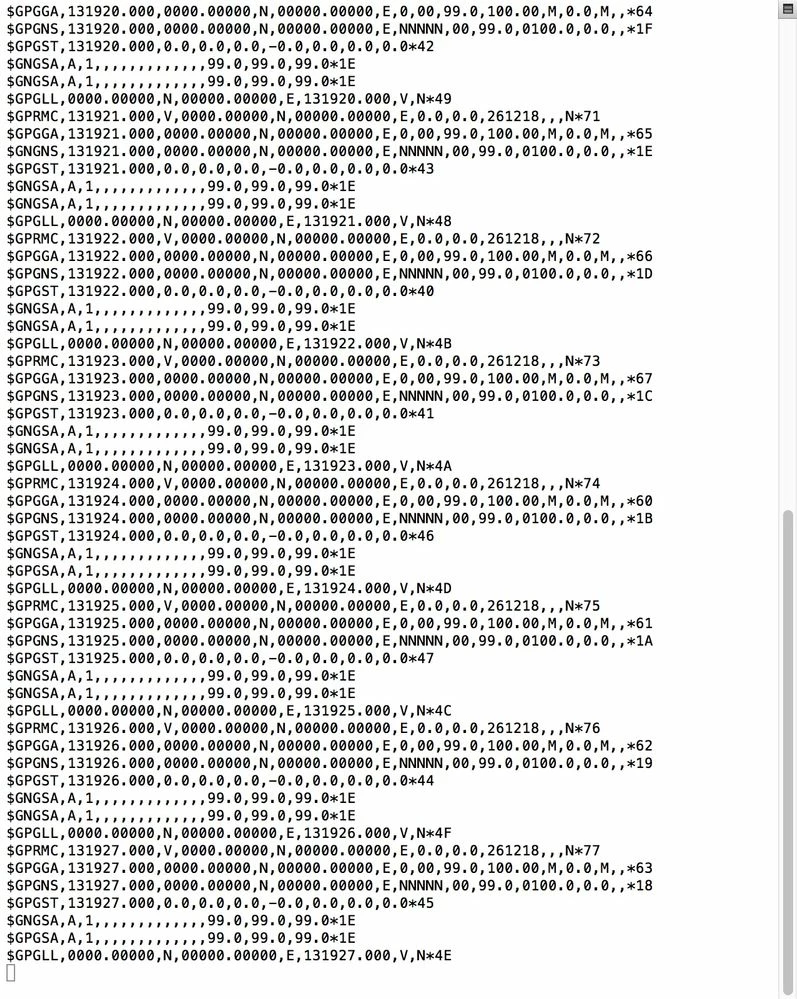
But the altitude and longitude are not correct, it is not changing. Not knowing what to do, I decided to perform a cold start by sending the command "$PSTMCOLD, 6", and after doing so, the NMEA messages become all zero
0690X000006D1HUQA0.jpg

I've tried many commands. Such as reset engine, perform hot start, etc. but no luck.

Any advice or idea will be appreciated, thank you.

    This topic has been closed for replies.

    3 replies

    Tesla DeLorean
    Guru
    January 9, 2019

    Perhaps focus on the RF and Antenna connectivity. Start by having the antenna outside, with a clear view of the sky, best to break the roof line of the surrounding structures.

    You will need to see satellites described in the $GxGSV sentences, signals >= 32 dBHz, and at least 4 satellites for a time+position fix.

    Tips, Buy me a coffee, or three.. PayPal VenmoUp vote any posts that you find helpful, it shows what's working..
    PTsen
    PTsenAuthor
    Associate III
    January 10, 2019

    Thanks for immediate response, I've tested it today, and it works. Really appreciate it.

    Technical Moderator
    January 9, 2019

    Hi

    with $PSTMCOLD, 6 you cleared the ephemeris data which have to be downloaded again from satellited.

    Take care that antenna have to be places in out-door. GNSS can not work in in-door

    Regards

    Francesco

    PTsen
    PTsenAuthor
    Associate III
    January 10, 2019

    Hi, thanks for your response, indeed GNSS can not work in in-door. Fortunately, In my case, I am working at out-door. However, it makes the testing relatively time consuming since I need to walk outside every time lol.

    Technical Moderator
    January 10, 2019

    As suggestion instead a PC-Terminal console you could use the PC tool: Teseo-Suite available online @

    https://www.st.com/content/st_com/en/products/embedded-software/automotive-infotainment-and-telematics-software/teseo-suite.html

    With graphics windows you can see how many satellites are seen by Teseo-LIV3F and the signal power for each satellites.

    I just did an experiment with '$PMSTCOLD,6' in few minutes I have 16 satellites tracked and the FIX (3D) done.

    Test performed with Nucleo-F401RE+X-Nucleo-GNSS1A1+GNSS_Antenna (the same antenna in the X-Nucleo kit)

    Let me know

    Regards

    Francesco

    PTsen
    PTsenAuthor
    Associate III
    January 10, 2019

    Yes, I know there is a PC tool, but I can't use it because I'm working on OSX. Even though my desktop is windows, it is still in in-door, therefore same thing will happen.

    Anyway, thanks for your advice, really appreciate it. :D