

ayasu.1
Associate
December 23, 2021
Question

Problem with X-Nucleo-GNSS1A1?

  • December 23, 2021
  • 1 reply
  • 996 views

Hello.

My name is aoki​

I am using Nucleo-F401RE and X-Nucleo-GNSS1A1.

TESEO-SUITE is no longer displaying anything at all.
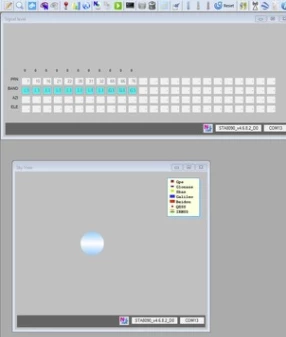
0693W00000Hpfv8QAB.pngI have tried the following to solve this problem.

A. I initialized the flash of Nucleo-F401RE and downloaded the sample software, but there was no change.

B. I reinstalled TESEO-SUITE, but there was no change.

C. When I check the serial communication with Tera Term, I can receive the data, but there is no longitude

and latitude information from the satellite.​

From the above results, it is the internal flash of Teseo -LIV3F that is suspicious.

Please let me know how to restore the factory default settings for Teseo -LIV3F implemented in X-Nucleo-GNSS1A1.

Thank you ​

    This topic has been closed for replies.

    1 reply

    Silvio
    ST Employee
    June 17, 2022

    Hello,

    what you could do is to restore the FW on the Teseo-LIV3F using the FWUPG java tool on your PC and the FW_Updater application on your NUCLEO-F401RE.

    You can find both of them in the X-CUBE-GNSS1 package, respectively in folders Utilities\PC_Software\FirmwareUpdaterTool and Projects\NUCLEO-F401RE\Applications\FW_Updater.

    Hence to start the firmware upgrading process you should:

    • launch the FWUPG.jar java tool and then, from the java GUI, after selecting the right serial port, click Open to start a connection with your NUCLEO-F401RE and X-NUCLEO-GNSS1A1 boards.

    • click the Update FW >>> button.0693W00000Ns7G6QAJ.png

    • click Yes in the FW will updated. Continue? pop-up0693W00000Ns7IvQAJ.png

    • before clicking OK in the Please, don't unplug the motherboard while updating! pop-up, press the RESET button on the NUCLEO-F401RE and release it in as very short time (let's say about 1 second) after clicking OK. This will sync the Teseo-LIV3F device and will start the FW upgrading process.0693W00000Ns7KIQAZ.png
    • 0693W00000Ns7MnQAJ.png
    • 0693W00000Ns7BBQAZ.png
    • 0693W00000Ns7U3QAJ.png

    BR

    Silvio