Solved
Modifying I2C speed in X Cube TOF1 for VL53L1
HI,
I am working on VL53L1 sensor using X CUBE TOF1 software. I want to change the I2C speed to 1MHz. Can somebody guide me how to do it?
Thank you

HI,
I am working on VL53L1 sensor using X CUBE TOF1 software. I want to change the I2C speed to 1MHz. Can somebody guide me how to do it?
Thank you
Don't know how this got by me for so long.
The X CUBE ToF1 software does not do much with the I2C configuration. The I2C is configured in the connectivity section and then referenced in the ToF section.
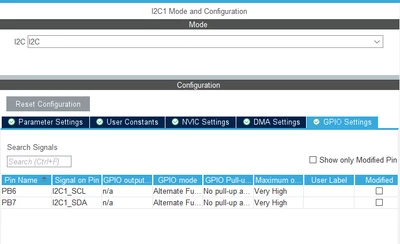
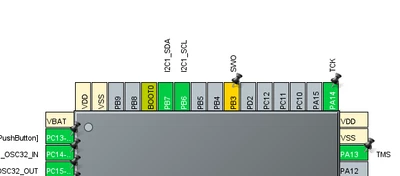
So that tells the I2C which pins, but then you have to click on the parameter settings to get:
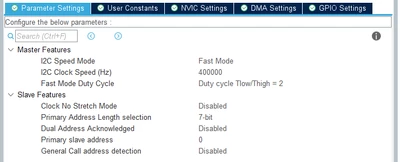
Once that's set up, you can go to the ToF1 section and associate the ToF code with the I2C1.
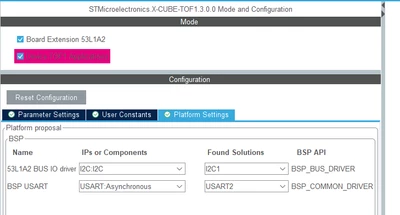
It's not simple, and it takes some screwing around, but it can be done.
It's a matter of eliminating those pesky yellow yield signs. When those are all eliminated, you will be good.
- john
Enter your E-mail address. We'll send you an e-mail with instructions to reset your password.