

STLearner
Associate III
May 21, 2025
Solved

Setting up the P-NUCLEO-53L8A1 issue

  • May 21, 2025
  • 1 reply
  • 375 views

Hi ST Experts,

I am working with the P-NUCLEO-53L8A1 evaluation kit and have followed the user guide to install the necessary software packages and GUI. I was able to detect the STLINK COM port connected to the evaluation board.

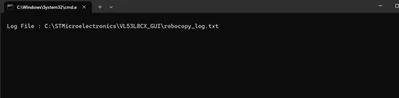
However, after refreshing the list and attempting to flash the firmware, I repeatedly receive an error message and am unable to connect to the sensor successfully, despite multiple attempts.
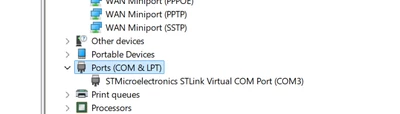
STLearner_1-1747799679389.png


STLearner_0-1747799346552.png

Could you please advise what might be causing this issue with my board?
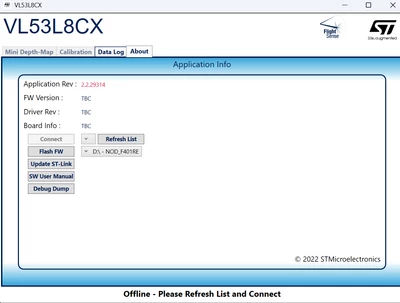
STLearner_2-1747799699226.png

Thank you. 

Best answer by John E KVAM

We have seen this before and it's a problem with the version of your PC. But instead of trying to update that let's try something different. 

First check to see if you have a D: drive. It's called NOD_F401. it should be seen by your system explorer.

The debugger (which you are trying to interface with) is the STM32 on the break-off part of the board nearest the USB connector. It simulates a memory stick. And some companies find those a security risk. If your company has disabled it, you need to contact them.

The software is trying to copy a .bin file to that D: drive, and you can do it manually. 

The code is located in C:\STMicroelectronics\VL53L8CX_GUI\ and in this file is a \Resources folder. In that folder is a .bin file. Try dragging and dropping that .bin file into your D: drive. 

Does that work?

If not you are going to have to tell me what is in that robocopy_log.txt file.

It's supposed to say what went wrong. 

- john

1 reply

John E KVAM
John E KVAMBest answer
ST Employee
May 21, 2025

We have seen this before and it's a problem with the version of your PC. But instead of trying to update that let's try something different. 

First check to see if you have a D: drive. It's called NOD_F401. it should be seen by your system explorer.

The debugger (which you are trying to interface with) is the STM32 on the break-off part of the board nearest the USB connector. It simulates a memory stick. And some companies find those a security risk. If your company has disabled it, you need to contact them.

The software is trying to copy a .bin file to that D: drive, and you can do it manually. 

The code is located in C:\STMicroelectronics\VL53L8CX_GUI\ and in this file is a \Resources folder. In that folder is a .bin file. Try dragging and dropping that .bin file into your D: drive. 

Does that work?

If not you are going to have to tell me what is in that robocopy_log.txt file.

It's supposed to say what went wrong. 

- john