
Senior
November 21, 2023
Solved

How to setup WiSE to build project for IDB011V2

  • November 21, 2023
  • 1 reply
  • 1042 views

Hi,

first I install the BLENRG_LP Navigator, it generates lots of examples,

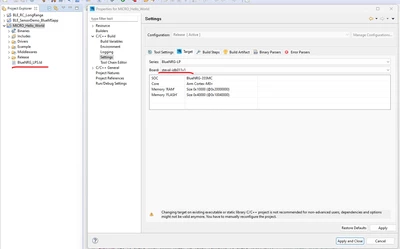
then I use WiSE studio and open the hello world example, the default ld file is BlueNRG_LPS, but I´m using IDB011V2, which has the SoC BlueNRG_LP chip, then I tried change the target in project settings as in photo:
Danny0007_0-1700599089240.png

But there is no option for steval-idb011V2 board, and I cannot change the ld file...

any help?

This topic has been closed for replies.
Best answer by Danny0007

sorry, I did something wrong, I shold chose the project for idb011v1.

apprently there are on examples for board idb011V2

1 reply

Danny0007AuthorBest answer
Senior
November 21, 2023

sorry, I did something wrong, I shold chose the project for idb011v1.

apprently there are on examples for board idb011V2