Associate II
September 5, 2024
Question

Connect STEVAL-STWINKT1B to Dashboard https://dsh-predmnt.st.com/Dashboard/

  • September 5, 2024
  • 1 reply
  • 974 views
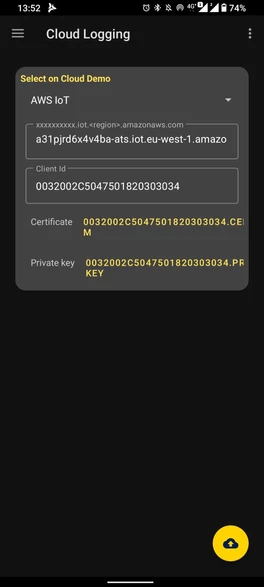
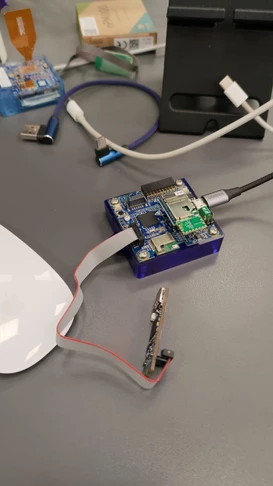
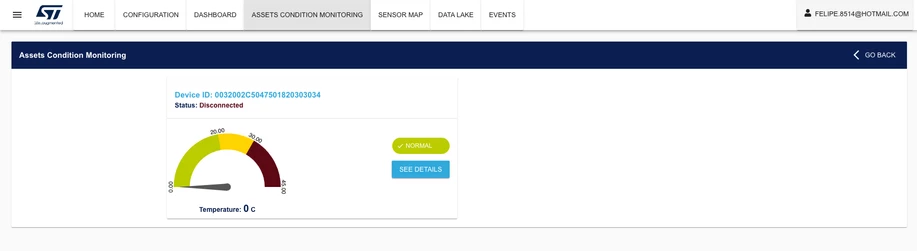
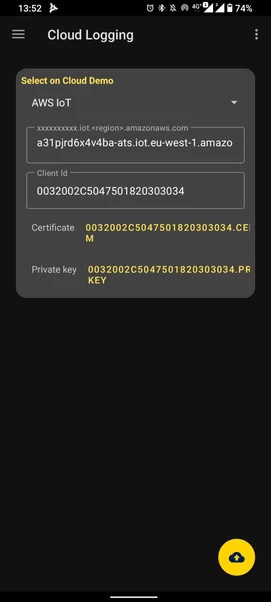
Good afternoon!  I used an example from the link https://www.st.com/en/embedded-software/fp-ai-predmnt2.html   However, the card does not connect to the cloud, I have already downloaded the certificate and private key and it gives an error.
 
Felipe_Nascimento_0-1725558937533.png


      Felipe_Nascimento_1-1725558937536.png


.    Felipe_Nascimento_2-1725558937548.png


Felipe_Nascimento_3-1725558937547.png


I need help.

1 reply

SimonePradolini
Technical Moderator
September 10, 2024

Hello @Felipe_Nascimento 

have you already had a look into the FP-AI-PREDMNT2 Quick Start Guide?

Pay attention to the full procedure described in slides 14-16: you are using the wrong certificates. The right ones  must be downloaded from the ST BLESensor Classic app only by selecting from the menu Board Configuration > Board Security > Certificate Request, and then select Predictive Maintenance Cloud Dashboard.

Please refer to the full procedure cited above.


Best regards

Simone


In order to give better visibility on the answered topics, please click on 'Accept as Solution' on the reply which solved your issue or answered your question.
SimonePradolini
Technical Moderator
September 17, 2024

Hello @Felipe_Nascimento 

Can you please click on Accept as Solution if you are satisfied or come back to us with any further request?


Best regards

Simone

In order to give better visibility on the answered topics, please click on 'Accept as Solution' on the reply which solved your issue or answered your question.