

MEMS Studio weird behaviour
I am using MEMS Studio to evaluate FSM and MLC on the STEVAL-MKI109D + STEVAL-MKI238A . I noticed few strange things. I am attaching my FSM gui config and reg config (config.zip)
1. When I open the FSM tab and load the state machine files and device configuration file
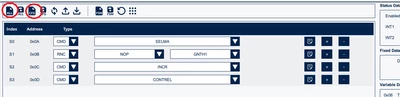
one thing I notice right away that its not loading the Long Counter Max value correctly.
In my saved FSM configuration I have set it to 0x14 but when I load the configuration it still showing up at 0001
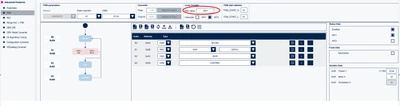
Now when I click "Write FSM configuration to the sensor" button and head to Register Map tab, I do see 0x14

This is very misleading as the FSM configuration tab is different value that is actually written to registers.
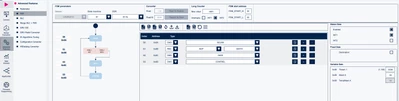
2. Next thing I notice is that when I load my FSM configuration and GUI files and click "Write FSM configuration to the sensor". Head to Sensor Evaluation and return back to Advanced features -> FSM. The FSM ODR now changes to 12.5 Hz.
This is how FSM tab looks when I load gui and config files but before writing config to sensor:
And this is how it looks after writing config to sensor, clicking Sensor Evaluation and returning to Advanced Features -> FSM
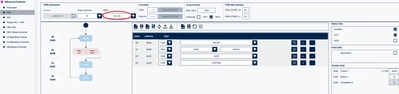
Why would the ODR change when leaving the FSM tab and returning back to it?
3. I want to clarify if I must have STOP (0x0D) command on my FSM? I notice that if I don't add STOP command in my FSM and click "Write FSM configuration to sensor" I see that STOP command is automatically appended into my FSM. Is that expected behaviour?
4. I was further playing around and testing with the FSM and came up with 3 FSM's. See attached FSM_crashing.zip
When I click "Write FSM configuration to the sensor" the application crashes and hangs on this screen:
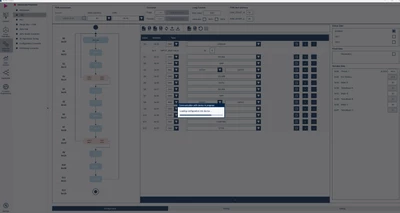
Im sure I have misconfigured the FSM somehow but it would be nice if MEMS Studio would not crash/hang and instead tell me that something is wrong.