

Using MEMS Studio to generate custom machine learning decision tree
Hey. I have recently received STEVAL-MKI109D + STEVAL-MKI238A for evaluating LIS2DUX12 accelerometer.
I have opened MEMS Studio, chose my evaluation board and performed FW upgrade as prompted by the MEMS Studio.

I have then proceeded to Sensor Evaluation -> Save to File to capture my own data for further processing. Each sample was taken using 5 seconds timeout. So I just click "Start" and proceed with moving the board for 5 seconds. I did the following:
1. Capture 3 "flip_down" samples of me flipping down the evaluation board.
2. Capture 4 "flip_up" samples of me flipping up the evaluation board.
3. Capture 4 "shaking" samples of me shaking the evaluation board.
4. Capture 3 "stationary" samples where the device was just sitting on the table.
After collecting all samples in .csv format, I have then proceeded to Advanced Features -> MLC and uploaded all collected .CSV data using different class names. See the below:
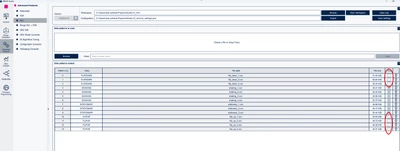
I noticed that STATIONARY and SHAKING samples have the Time option, but the FLIP_DOWN and FLIP_UP samples do not, even though all samples were collected one right after the other using the same accelerometer configuration and same setup.
As a result of that, I cannot proceed to the ARFF generation:
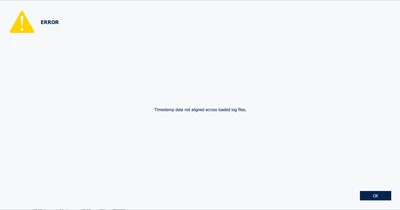
I tried to look at MEMS Studio tutorials and tried to look up information about this, but cannot find anything.
1. What does this "Time" option mean in Data patterns table? I have read datasheet for the Mems Studio but could not find any relevant information regarding this. https://www.st.com/resource/en/user_manual/um3233-getting-started-with-memsstudio-stmicroelectronics.pdf
2. What could have caused my "flip_down" and "flip_up" samples that I have collected be somehow different than "stationary" and "shaking"? How am I supposed to proceed with MLC if I cannot do that?
I am attaching the samples.zip file where I have all collected .csv's attached.
Hoping to get some clarifications, thanks in advance!