
Associate II
May 1, 2025
Question

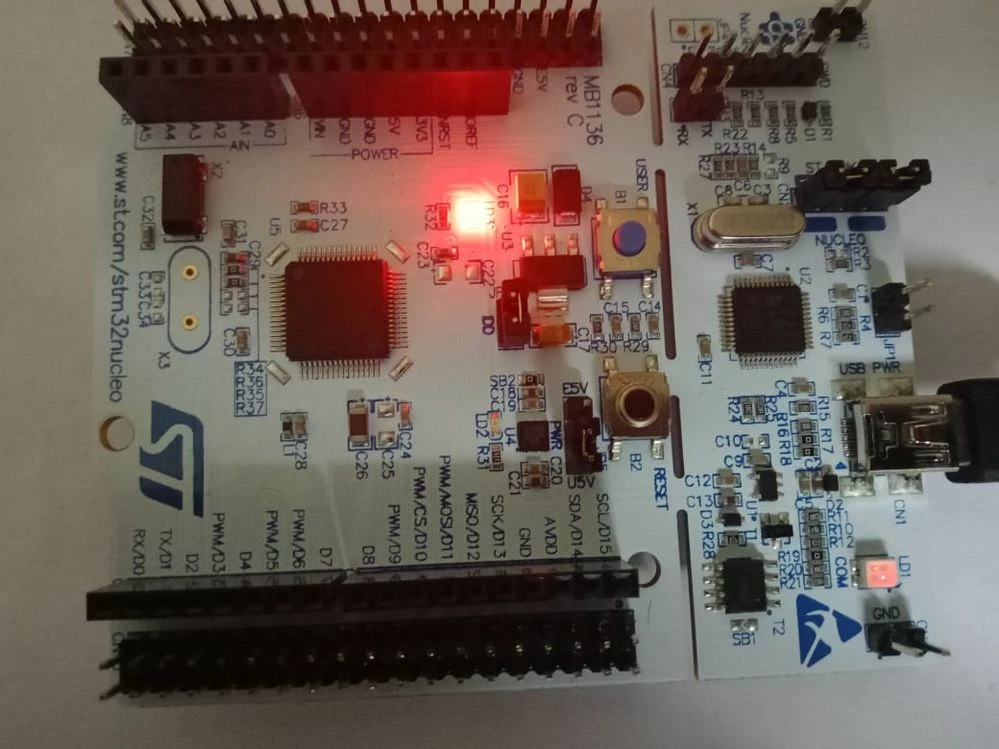
Nucleo-f446re ST-LINK LED appears dim and differently when in debug mode

  • May 1, 2025
  • 2 replies
  • 549 views

ST-LINK part's LED (LD1) on your STM32f446re Nucleo board appears dim and differently when in debug mode. but in normal, it glow normally and when code upload, it blinks.WhatsApp Image 2025-05-01 at 20.36.44_c518aa4a.jpg
2 replies

Tesla DeLorean
Guru
May 1, 2025

Well presumably when debugging there's more interaction on the USB from the debugger causing the LED to modulate between it's GREEN/RED modes.

Is this a problem?

Tips, Buy me a coffee, or three.. PayPal VenmoUp vote any posts that you find helpful, it shows what's working..
KaviAuthor
Associate II
May 1, 2025

When I enter debugging mode, the green and red LEDs start blinking alternately, which I believe indicates normal activity. However, once the debugger is fully connected and running, the red LEDs (LD1) remains ON but glows dimly instead of brightly.

Please note that:

The code uploads correctly without any issues.

Debugging works properly.

The board functions as expected during and after debugging.

My question is: Does the dim glow of the LEDs (LD1) in debug mode indicate any underlying issue, or is this normal behavior for the ST-Link interface?

Tesla DeLorean
Guru
May 1, 2025

>> is this normal behavior

I suspect it is common, it's modulating, based on many factors, and I suspect very little effort is made to keep it at frequencies suitable for the human eye. Perhaps scope the signal, see what frequency it's at, and how little the LED is ON

Ideally the debugger should connect as fast as possible, and might be in a loop probing memory, peripherals or MCU registers.

Tips, Buy me a coffee, or three.. PayPal VenmoUp vote any posts that you find helpful, it shows what's working..