

I am using HALL sensor mode on Tim4 and PWM generation with TIM1. I don't understand now how do i read hall sensor status .
HAL_TIMEx_ConfigCommutEvent(&htim1, TIM_TS_ITR3, TIM_COMMUTATION_TRGI);
// HAL_TIM_IC_Start(&htim4, TIM_CHANNEL_2);
HAL_TIMEx_HallSensor_Start_IT(&htim4);
here is my config setting:
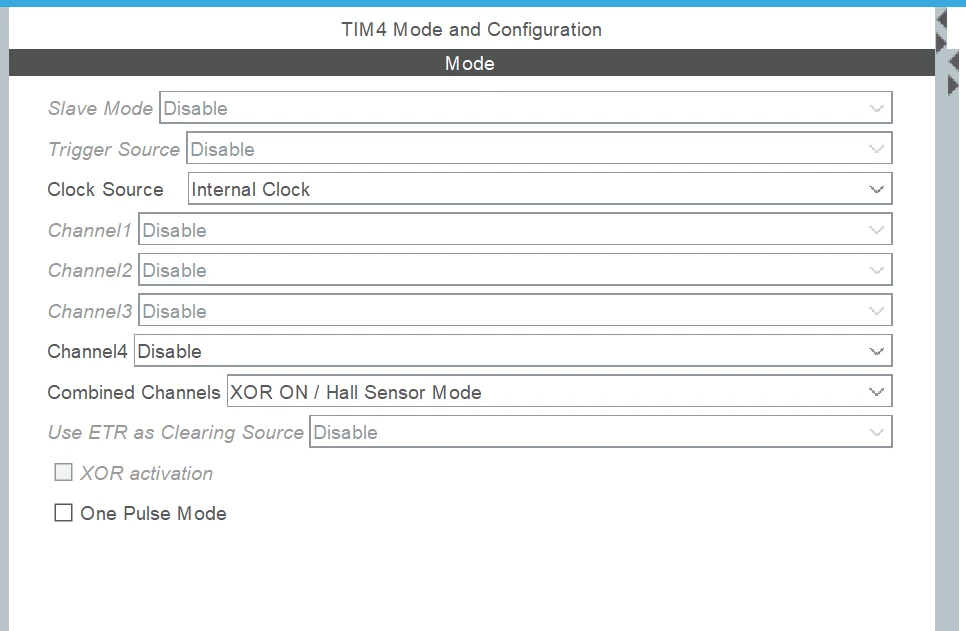
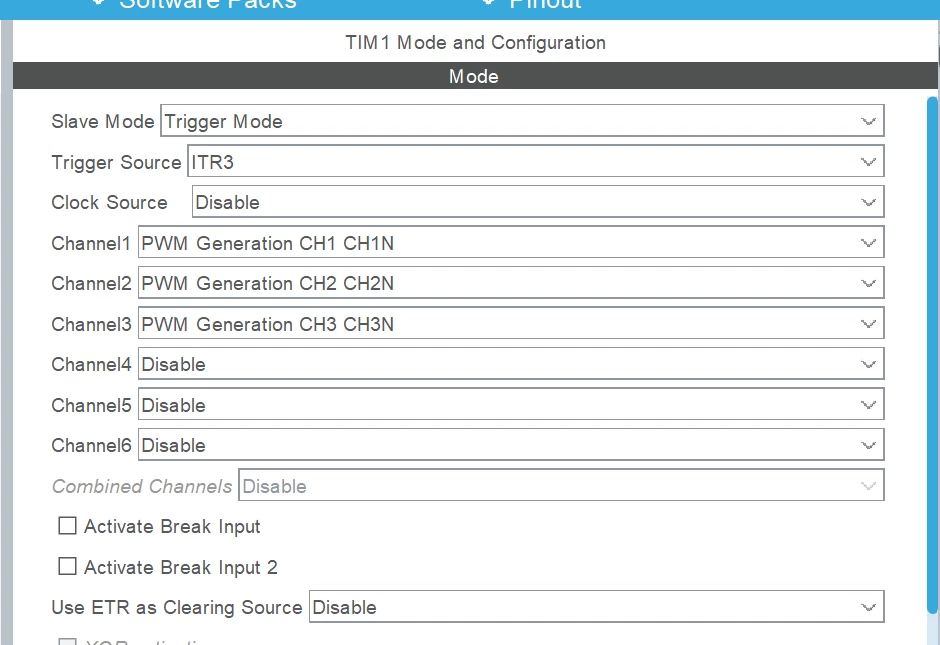 below is my capturecall back function.
void HAL_TIM_IC_CaptureCallback(TIM_HandleTypeDef *htim)
{
if (htim->Channel == HAL_TIM_ACTIVE_CHANNEL_1) // if the interrupt source is channel1
{
if (Is_First_Captured==0) // if the first value is not captured
{
IC_Val1 = HAL_TIM_ReadCapturedValue(htim, TIM_CHANNEL_1); // read the first value
Is_First_Captured = 1; // set the first captured as true
MotorCommutation() // in this function i read hall sensor status
}
else // if the first is already captured
{
IC_Val2 = HAL_TIM_ReadCapturedValue(htim, TIM_CHANNEL_1); // read second value
MotorCommutation();
}
__HAL_TIM_CLEAR_FLAG(htim,TIM_FLAG_UPDATE);
}
}
Now i don't understand how i should read HALL sensor status using capturecallback function and trigger the desired channel.
Can some help me how I can read the status and trigger the pwm over the commutation event?