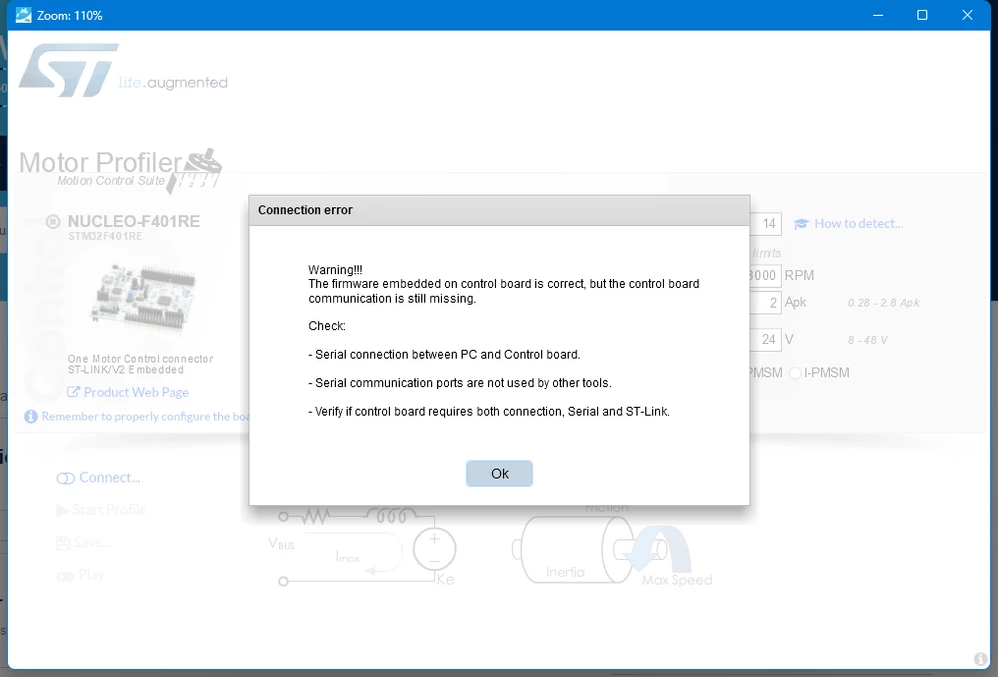
It tells serial doesn't work well,and I test it throght my serial application,it works!So who can tell me what's the matter?I found my nucleo-f401(rev C01) don't have external crystal oscillator,and the rev-C04 and rev-C04 all have a external crystal oscillator,So I want to know This software(MCSDK Motor Profiler 5.Y.2) download the binary used external crystal oscillato?
I didn't have any problem to connect with this configuration, with a c004, can you try with the MCSDK 6.1.1 profiler and tell me if it works, otherwise tell me the error message.
Thanks for your help,I choose this board and click the connect button,but the page change to this page which to choose control board and power board(picture 2). I try it mang times,but it doe't works!
My control board is nucleo-f401re(C01)and the MCSDK(6.1.1 and 6.1.0)
Can you get the file "NUCLEO-F401RE#X-NUCLEO-IHM08M1 3Sh#(6.1.1)" which is in the directory : \MC_SDK_6.1.1\Utilities\PC_Software\STMotorPilot\STM32CubeProgrammer\Fw and flash it manually with Stm32CubeProgrammer and disconnect Stm32CubeProgrammer.
then try to connect manually with the profiler.
Can you also send me a screenshot of your CubeProgrammer after login please?
I think I understand where the problem comes from, on your Stm32CubeProgrammer you dont have a board name like me, and the motor profiler check this name with its database.
To start I suggest you upgrade your St-Link by clicking on the Firmware Upgrade button in Stm32CubeProgrammer and then check if the board name appears.
I may have a solution for you, to start, you have to go to the location where your Motor Pilot is installed : MC_SDK_6.1.1\Utilities\PC_SoftwareSTMotorPilot\GUI
open the file "profiler.qml" and go to the line 712.
Replace this line by this line : var checkBoardNameResult="test".
Try again to connect.
Can you keep me informed if it works, we are working on a patch to solve this problem in case the board name does not appear by ST-Link