Associate III
October 5, 2024
Question

Error in initializing ST-LINK device. Reason: No device found on target. F103RB

  • October 5, 2024
  • 3 replies
  • 2481 views

I am using a nucleo-F103RB. This device was functional in the past. 

I am getting an error 


Error in final launch sequence:


Failed to execute MI command:

target remote localhost:61239


Error message from debugger back end:

localhost:61239: Connection timed out.

Failed to execute MI command:

target remote localhost:61239


Error message from debugger back end:

localhost:61239: Connection timed out.

localhost:61239: Connection timed out.

 I have tried different cables to ensure it isn't the issue. I have also changed the port number. 

This is my debugger information: 
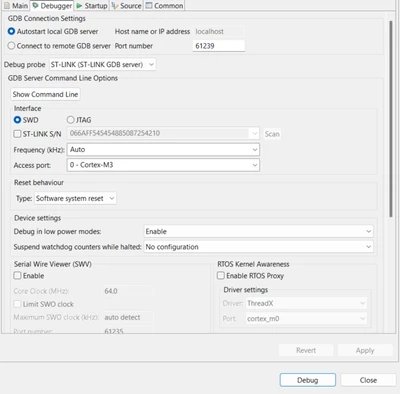
BadEngineer_0-1728150589400.png

I am able to upgrade my stlink chip via cube ide as shown in the image below (it detects it)
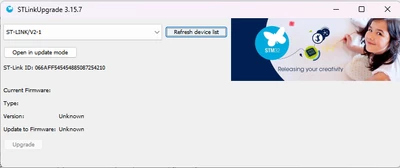
BadEngineer_1-1728150677652.png

I have tried to use the stm32cubeprogrammer application too but that doesn't seem to work. 
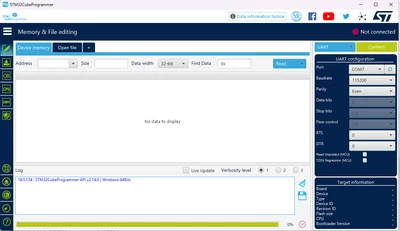
BadEngineer_2-1728150746799.png

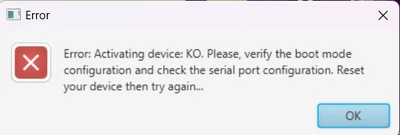
I get the below error. 

BadEngineer_3-1728150768667.png

However i know it is working on COM7 because the last thing i did was create a program to output some information through the USART, which it is still doing (image below). 
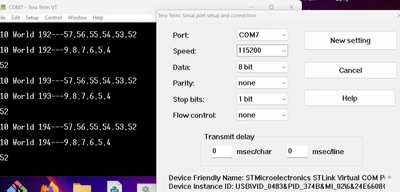
BadEngineer_4-1728150865552.png


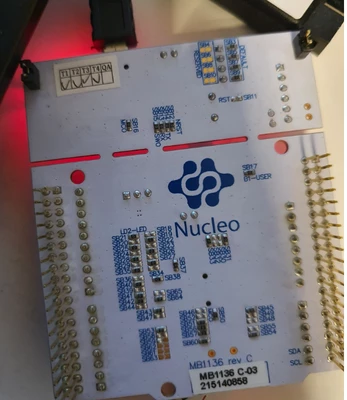
I have also attached images of my board. 
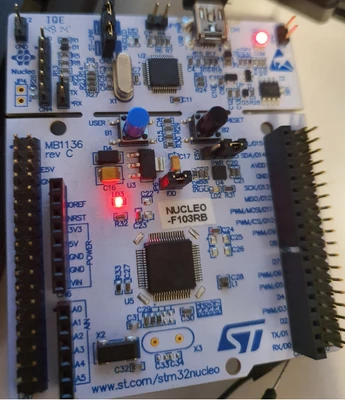
BadEngineer_5-1728150966432.pngBadEngineer_6-1728150996974.png


3 replies

AScha.3
Super User
October 5, 2024

Maybe you did something, to block the swd , not defined degub in Cube, use swd pins for something else...

to get access :

set debug to hardware reset;

try. If not connect in IDE :

or in cubeProgrammer : set st-link, hardware reset, connect under reset.

Then full erase , to get away the "problem" program.

"If you feel a post has answered your question, please click ""Accept as Solution""."
Associate III
October 5, 2024

Is this what you mean?

BadEngineer_0-1728157034766.png


I have changed the option to this and i still get the same error 

AScha.3
Super User
October 6, 2024

ok,

so check: boot0 lo ?

And try - as i wrote -

in CubeProgrammer : set st-link, hardware reset, connect under reset.

Then full erase , to get away the "problem" program.

show, what cubeprog telling:

AScha3_0-1728202090018.png


If no connection with CubeProg or IDE possible, last chance:

set boot0 hi , reset or power cycle, and connect to bootloader .

+

If connection not working at all:

- some connection (wire) not there, check jumpers for swd/swc , connect st-link to cpu  really ?

- you damaged cpu, need a new board, or replace cpu.

"If you feel a post has answered your question, please click ""Accept as Solution""."
Associate III
October 8, 2024

I have connected boot0 to high and and then tried to use stmcube to try and see if i can detect it. However i am getting the same issue (image below)

BadEngineer_0-1728406774484.png

below is an image of boot0 being high. 

BadEngineer_1-1728406823342.png


AScha.3
Super User
October 8, 2024

You cannot connect to bootloader this way !

+

still missing info:

>after i had connected pin 5 and pin 6 jumper.

Leave this jumper away ! It cannot work with connected pin 5 and pin 6 .

+ -> show, what cubeprog telling ...now.

"If you feel a post has answered your question, please click ""Accept as Solution""."
Associate III
October 8, 2024

That is how you get into boot loader mode. You can see from the circuit diagram pin 7  on the CN7 connector, the boot pin and i am pulling it high to 3.3V. 


BadEngineer_0-1728413197425.png


Visitor II
October 10, 2025

how did you solve this problem?

I have the same problem, and I've tried everything, but nothing works.

Please help me....