Associate III
October 16, 2025
Solved

How to enable the STM32N657X0 dcache using the STM Cube IDE?

  • October 16, 2025
  • 1 reply
  • 224 views

Hello:

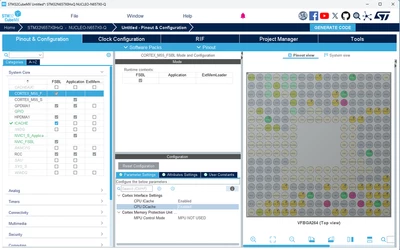
I think I have found how to enable the i-cache on the STM32N657X0 using the STM Cube IDE through using the Pinout & Configuration of the project. Two questions:


1. Is the icache actually enabled, or did I just made it available to be programmed?
2. How do I enable the dcache? I am using the NUCLEO-N657 development board.

If I need to enable them via a software routine, is there an example that I can use?

Thank you.

kag
kag_embedded_0-1760573458588.png


Best answer by Imen.D

Hello @kag_embedded 

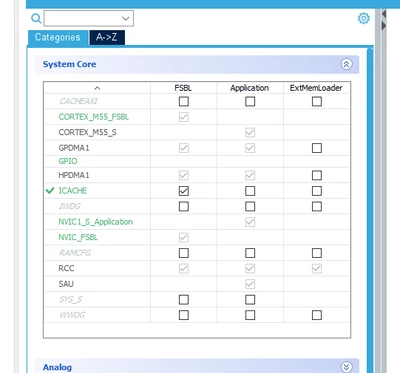
Navigate to "Pinout & Configuration" > "System Core", and enable the CPU ICACHE and CPU DCACHE..

ImenD_0-1760593657539.png


I recommend you follow this article: How to build an AI application from scratch on the NUCLEO-N657X0-Q using STM32CubeMX.

1 reply

Imen.DBest answer
Technical Moderator
October 16, 2025

Hello @kag_embedded 

Navigate to "Pinout & Configuration" > "System Core", and enable the CPU ICACHE and CPU DCACHE..

ImenD_0-1760593657539.png


I recommend you follow this article: How to build an AI application from scratch on the NUCLEO-N657X0-Q using STM32CubeMX.

"When your question is answered, please close this topic by clicking ""Accept as Solution"".ThanksImen"
Associate III
October 16, 2025

Thank you.