Associate
July 18, 2025
Solved

Re: Nucleo H755ZI-Q: The interface firmware FAILED to reset/halt the target MCU

  • July 18, 2025
  • 2 replies
  • 402 views

Moved from this thread.

Hi

I'm experiencing the same issue that others have reported with the STM32H755ZIT6. Despite following all the suggested solutions step by step from various forum threads, I’m still unable to debug or run code on my Nucleo board.

Every time I try, the board locks, and I have to manually erase the flash by wiring BOOT0 to VDD to recover it.

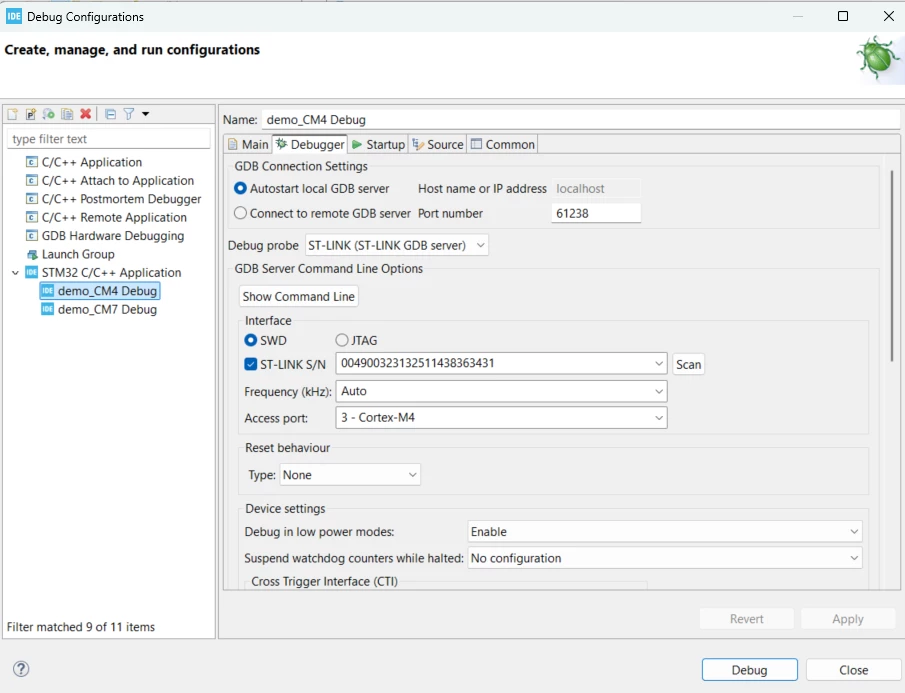
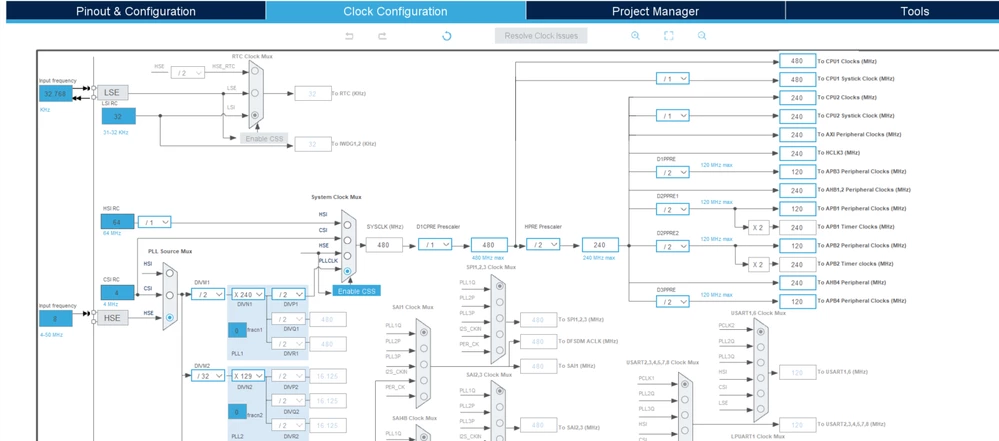
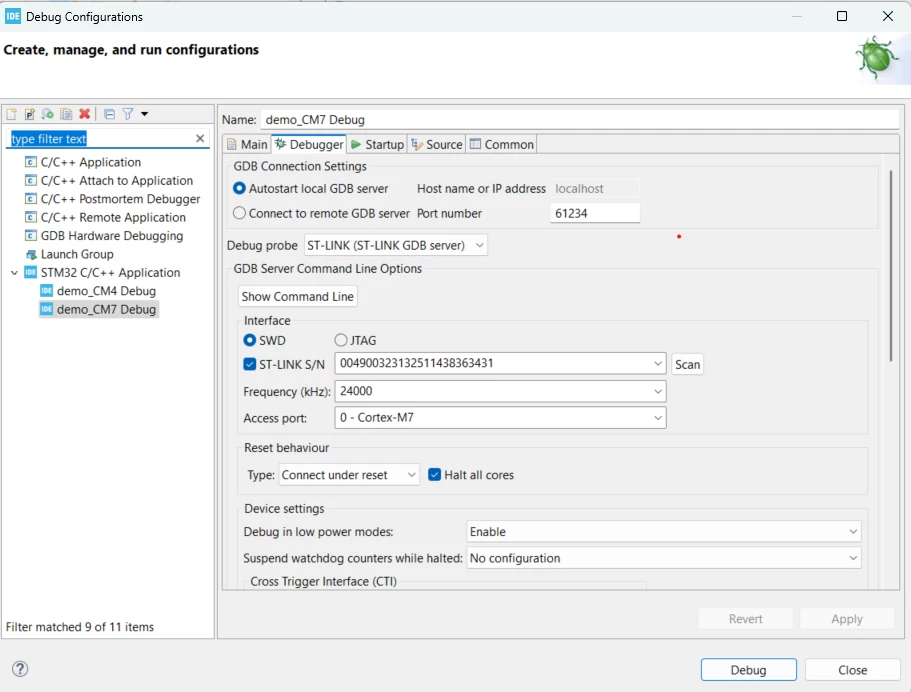
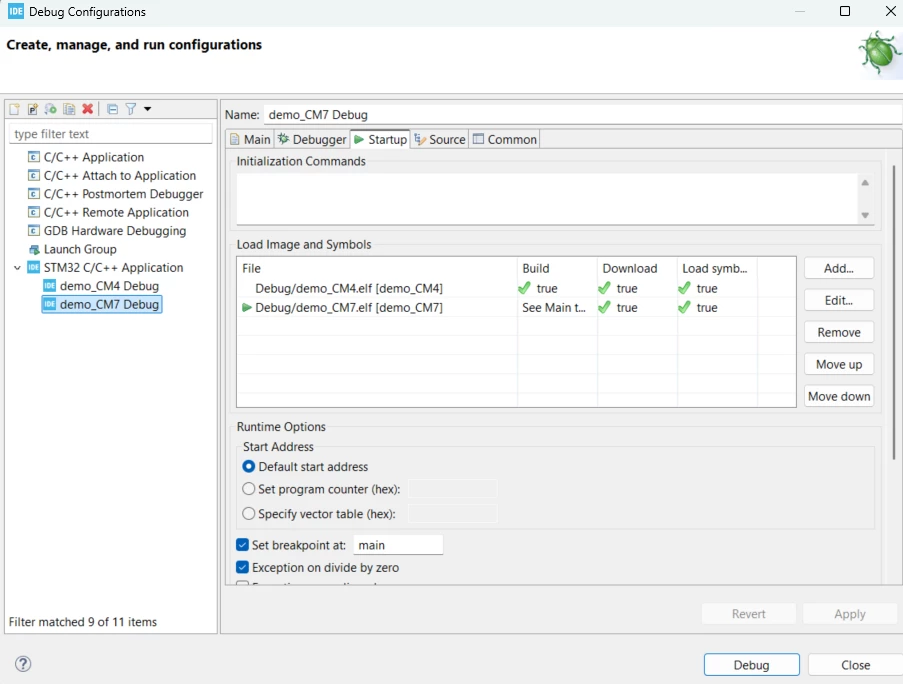
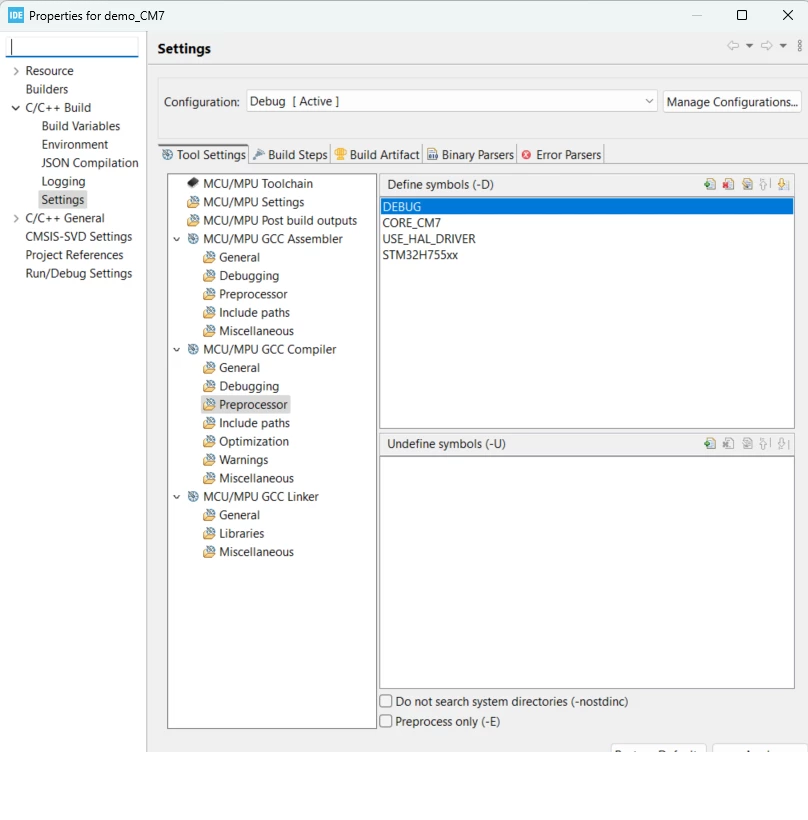
I'm using the latest version of STM32CubeIDE, and I’ve attached some screenshots of my project setup for reference. I’d appreciate any guidance or additional suggestions you might have.
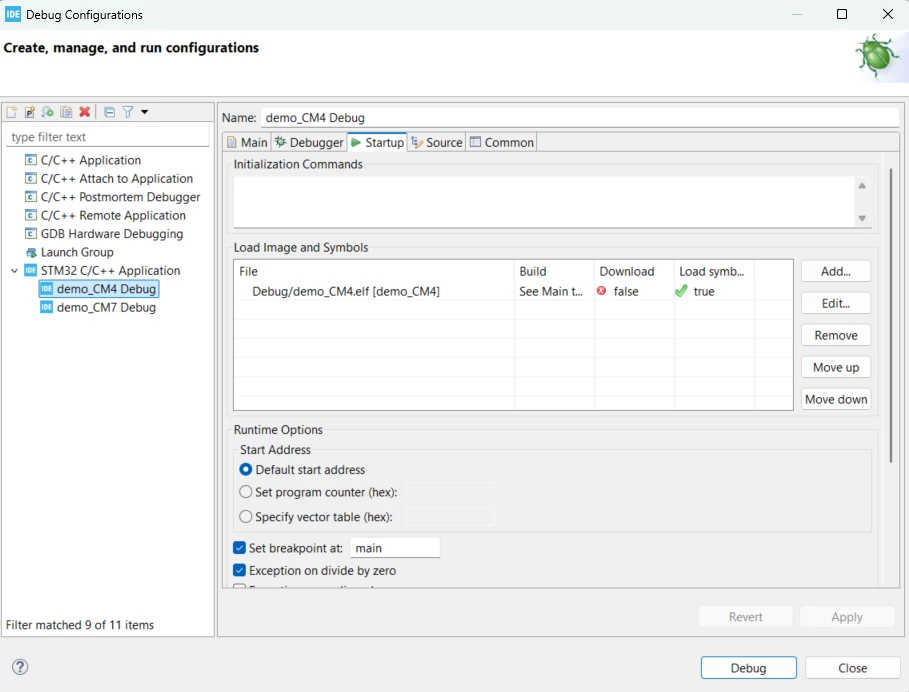
 M4_Starup.pngM4_Debug.pngproject_ioc.pngM7_startup.pngM7_Debug.pngProp.pngSTMH7_ioc.png

Best answer by mƎALLEm

Hello @andrdz25 ,

It disappears because I'm pretty sure you set the system frequency > 400MHz @VOS0.

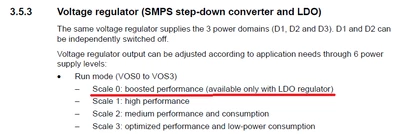
VOS0 is available only with LDO. SMPS can be used only when the system frequency < = 400MHz.

From the datasheet:

mALLEm_2-1755514212589.png


2 replies

mƎALLEm
Technical Moderator
July 18, 2025

Hello @andrdz25 and welcome to the community,

What board are you using? if it is a custom board you need to specify what power configuration that board is configured to.

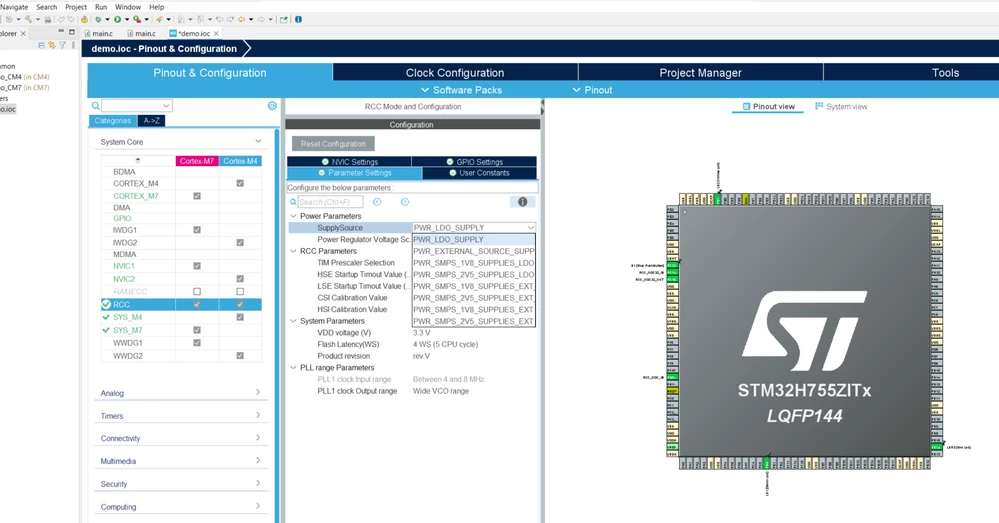
If it's a Nucleo-H755ZI-Q board you need to set the power config to Direct SMPS instead of LDO:

mALLEm_0-1752823216976.png

And you need to recover the MCU first.

"To give better visibility on the answered topics, please click on ""Accept as Solution"" on the reply which solved your issue or answered your question."
andrdz25Author
Associate
July 18, 2025

I already tried to change that, but I couldn't find the option in STM32CubeIDE. I'm not sure if it's due to the core frequency or voltage settings. As you can see, the PWR_DIRECT_SMPS_SUPPLY option disappears. And yes, the board I'm using is the Nucleo-H755ZI-Q.


IOC_PS.png

mƎALLEm
mƎALLEmBest answer
Technical Moderator
August 18, 2025

Hello @andrdz25 ,

It disappears because I'm pretty sure you set the system frequency > 400MHz @VOS0.

VOS0 is available only with LDO. SMPS can be used only when the system frequency < = 400MHz.

From the datasheet:

mALLEm_2-1755514212589.png


"To give better visibility on the answered topics, please click on ""Accept as Solution"" on the reply which solved your issue or answered your question."
bramble
Senior
July 18, 2025

Hi @andrdz25 ,

This can be tricky due to the two cores. The following application note is a good place to look for advice about how to configure and launch both cores, which needs to be done in a coordinated fashion:

https://www.st.com/resource/en/application_note/dm00597308-stm32h7x5x7-dualcore-microcontroller-debugging-stmicroelectronics.pdf 

Although that App Note is helpful, you might also want to view this video which walks through the procedure.

https://www.youtube.com/watch?v=k3mXhPZSasw 

Even better though is this video, and you MUST be sure to follow the procedure explained at t=11:57 in this video, where it's made clear that you need to use the ctrl key to select the CM4 and CM7 cores (in the debug view on LHS of CubeIDE) before launching in debug mode: https://www.youtube.com/watch?v=jI1k6p-fduE 

It's possible that the issues you're having are completely different than the ones covered in the above, but this caused me some trouble initially so I thought that it's worth mentioning these materials.

I now have my own custom board and there were occasions during initial bring-up when I had bad builds on either core. In that case it's sometimes helpful to use the separate Cube Programmer to put a known good flash image onto one of the cores, before trying to use CubeIDE to do a dual-core build and download. This sometimes saves you from having to do a full flash erase and start all over again.

I hope this helps.