Associate III
April 14, 2025
Question

STM32L496 Sleep & Wakeup

  • April 14, 2025
  • 2 replies
  • 400 views

Split from:

https://community.st.com/t5/stm32-mcus-products/is-is-possible-to-wakeup-the-stm32l496-with-an-external/td-p/741267

as this is a new question.


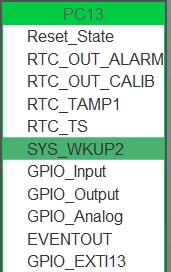
Hello @STTwo-32 as the wake up pin associated with stm32L496 is SYSWKUP2 can i use this and on clicking the B1 (i.e. on board button) kindly let me know will the system gets woken up,  also i cannot able to make my system to sleep mode even after using the HAL_EnableSLEEPmode(); function, i also tried using __RCC_HAL_DISABLE_A_PORT(not sure if it exactly matches with HAL macros) for disabling clock individually to every port of the board still it is not going to sleep mode. 
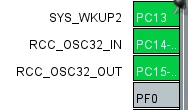
Abhiram_12_0-1744616362065.pngAbhiram_12_1-1744616380305.png


2 replies

ST Employee
July 18, 2025

Hello @Abhiram_12

Before going to sleep mode, ensure that the WUF2 flag in the power status register is cleared

You can also check this Wiki that covers all low power modes entry/exit using an STM32L4: Getting started with PWR


Associate III
August 11, 2025

@Sarra.S Sure!!, will try it and let you know.

Karl Yamashita
Principal
July 19, 2025

In Sleep mode, any interrupt will wake it up. That includes the SysTick.


void EnterSleepMode(void)
{
	HAL_SuspendTick();

	HAL_PWR_EnterSLEEPMode(PWR_LOWPOWERREGULATOR_ON, PWR_SLEEPENTRY_WFI);

	HAL_ResumeTick();
}


If a reply has proven helpful, click on Accept as Solution so that it'll show at top of the post.CAN Jammer an open source CAN bus hacking toolCANableV3 Open Source