

Could not disable RDP at STM32WB55CEUX chip in my custom board
I had a problem while uploading firmware into my custom board.
I used ST-Link attached at NUCLEO-F091RC board, and I could read Option Bytes and Memory at 0x00000000 using ST-Link Utility and STM32CubeProgrammer.
But I can't read or erase flash memory.
It notifies "Can not read memory! Disable Read Out Protection and retry."
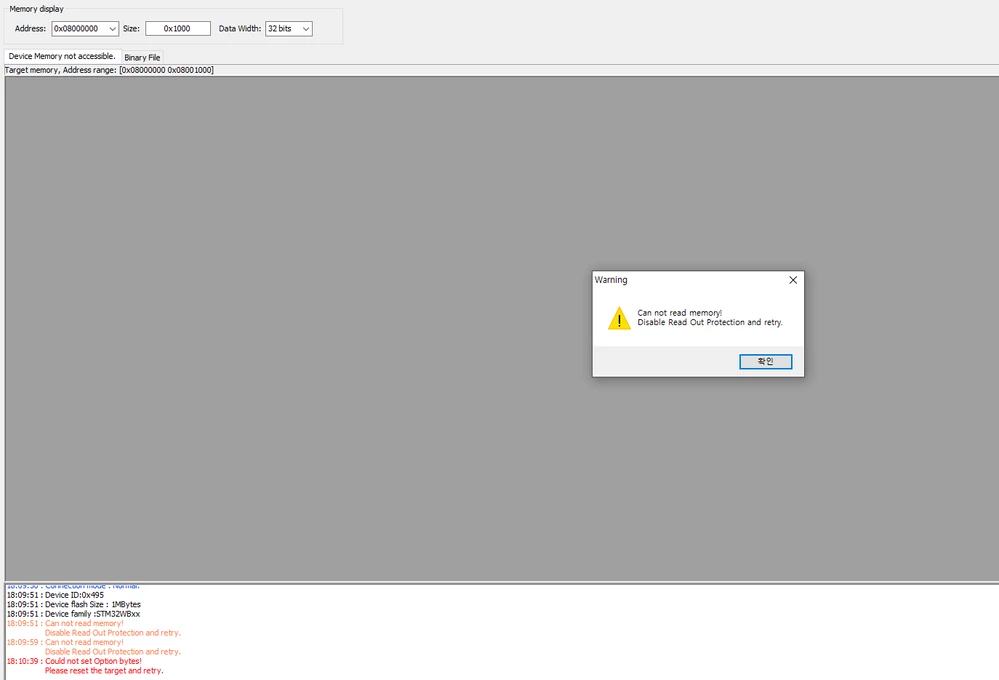
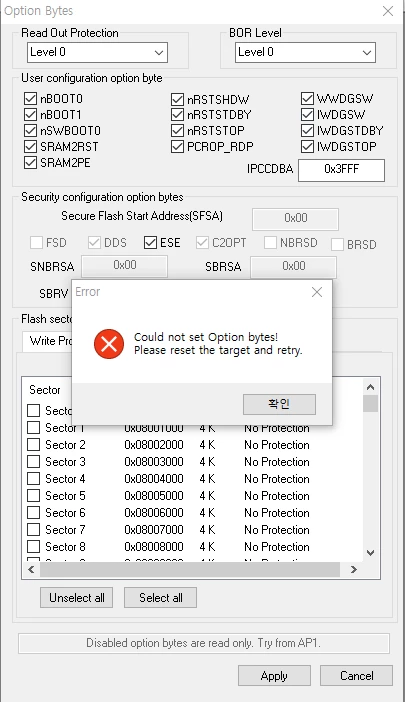
and when I try to change Option bytes, notifies "Could not set Option bytes! Please reset the target and retry."
and this is the log when I tried to download and debug with STM32CubeIDE.
STMicroelectronics ST-LINK GDB server. Version 5.2.3
Copyright (c) 2019, STMicroelectronics. All rights reserved.
Starting server with the following options:
Persistent Mode : Disabled
Logging Level : 1
Listen Port Number : 61234
Status Refresh Delay : 15s
Verbose Mode : Disabled
SWD Debug : Enabled
Waiting for debugger connection...
Debugger connected
-------------------------------------------------------------------
STM32CubeProgrammer v2.1.0
-------------------------------------------------------------------
Log output file: C:\Users\ADMINI~1\AppData\Local\Temp\STM32CubeProgrammer_a17080.log
ST-LINK SN : 066AFF545753845187161939
ST-LINK FW : V2J33M25
Voltage : 0.00V
SWD freq : 4000 KHz
Connect mode: Under Reset
Reset mode : Hardware reset
Device ID : 0x495
Device name : STM32WBxx
Flash size : 512 KBytes
Device type : MCU
Device CPU : Cortex-M0+/M4
Memory Programming ...
Opening and parsing file: ST-LINK_GDB_server_a17080.srec
File : ST-LINK_GDB_server_a17080.srec
Size : 10288 Bytes
Address : 0x08008000
Erasing memory corresponding to segment 0:
Erasing internal memory sectors [8 10]
Error: failed to erase memory
Error: failed to erase memory
Encountered Error when opening D:\Tools\STMicroelectronics\STM32CubeIDE_1.0.0\STM32CubeIDE\plugins\com.st.stm32cube.ide.mcu.externaltools.cubeprogrammer.win32_1.0.0.201904021149\tools\bin\STM32_Programmer_CLI.exe
Error in STM32CubeProgrammer
Target is not responding, retrying...
Target is not responding, retrying...
Target is not responding, retrying...
Target is not responding, retrying...
Target is not responding, retrying...
Target is not responding, retrying...
Target is not responding, retrying...
Target is not responding, retrying...
Target is not responding, retrying...
Target is not responding, retrying...
Error! Failed to read target status
Debugger connection lost.
Shutting down...
This is the default option bytes.
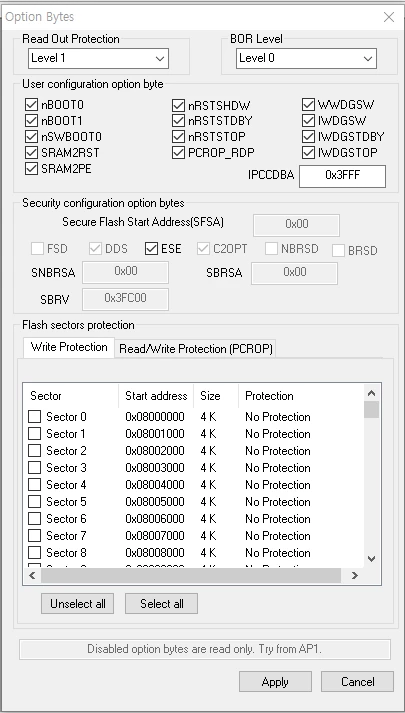
I think the problem is RDP isn't Level 0.
How can I upload firmware to my custom board or disable RDP?
Thank you.