Solved
Add name of container for items in screen
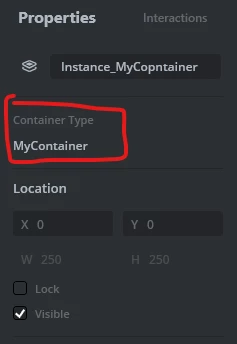
It would be useful if an item (widget) added to a screen which is a container, showed the name of the container in the properties window. I have a lot of different containers and if I need to make changes to the container, sometimes I have to go through almost the whole list of containers to find the one I need. If the properties window in the top right of the designer window showed the name of the container, then this would be easier
Maybe also a quicker way to jump to the container either from the screens tab (context menu for example) or via the widget properties window. It is useful btw having an appropriate icon for each widget in the screens tree because you can at least tell if it is a button, line, container etc