Associate II
October 18, 2024
Solved

Could not halt device (18) STM32F746G Discovery Board

  • October 18, 2024
  • 4 replies
  • 1955 views

Hello,

I am a beginner, so forgive me if my question is basic.

I'm currently working on building a TouchGFX application that reads CAN Values and displays them on the STM32F746F Discovery Board. However, when I try to run the application, the program builds and downloads successfully before I get the error "Could not halt device (18)" and the screen on the board shows up white. 

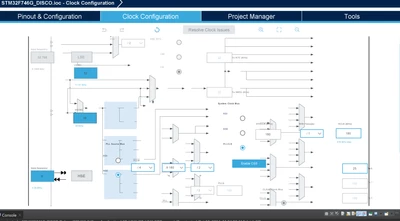
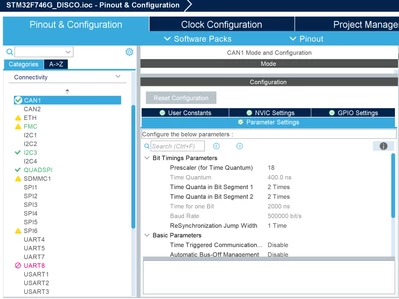
So far, the only things that I have done to the application after generating it from TouchGFX is change the clock configuration and activate CAN1. I've attached screenshots of both in case they may be of use.

What do you think is causing the error?

Thank you.
 

jindo85547_0-1729274868587.png

jindo85547_1-1729274894296.png


Best answer by jindo85547

Sorry, by scrapping I mean I wanted to start from the beginning. I was working on Windows earlier, but I am transitioning to Linux. I'm going to try coding "by hand" for the display. 

4 replies

Karl Yamashita
Principal
October 18, 2024

Can't make out your screenshot

If a reply has proven helpful, click on Accept as Solution so that it'll show at top of the post.CAN Jammer an open source CAN bus hacking toolCANableV3 Open Source
ST Employee
October 21, 2024

Hello @jindo85547,

Could you please explain more about your procedure and the error you are receiving? 
So, when you create a project for STM32F746G Discovery Kit from TouchGFX Designer (like the picture below), you open the STM32CubeMX project, and you apply the changes you mentioned and regenerate code from STM32CubeMX.

STM32F476G Discovery Kit Board SetupSTM32F476G Discovery Kit Board Setup

Then, do you run the application on the target from TouchGFX or do you use another method?

GaetanGodart
Technical Moderator
November 11, 2024

Hello @jindo85547 ,


Have you been able to move forward on your project?


Regards,

Associate II
February 2, 2025

Sorry for the late response. I ended up scrapping and I am now trying to start from scratch on linux, but I am running into issues there. 

GaetanGodart
Technical Moderator
February 3, 2025

Hello @jindo85547 ,


I don't know what you mean by scrapping.

TouchGFX Designer is not supported on Linux but you can still use "plain" TouchGFX and code "by hand".


Regards,

jindo85547AuthorBest answer
Associate II
February 4, 2025

Sorry, by scrapping I mean I wanted to start from the beginning. I was working on Windows earlier, but I am transitioning to Linux. I'm going to try coding "by hand" for the display.