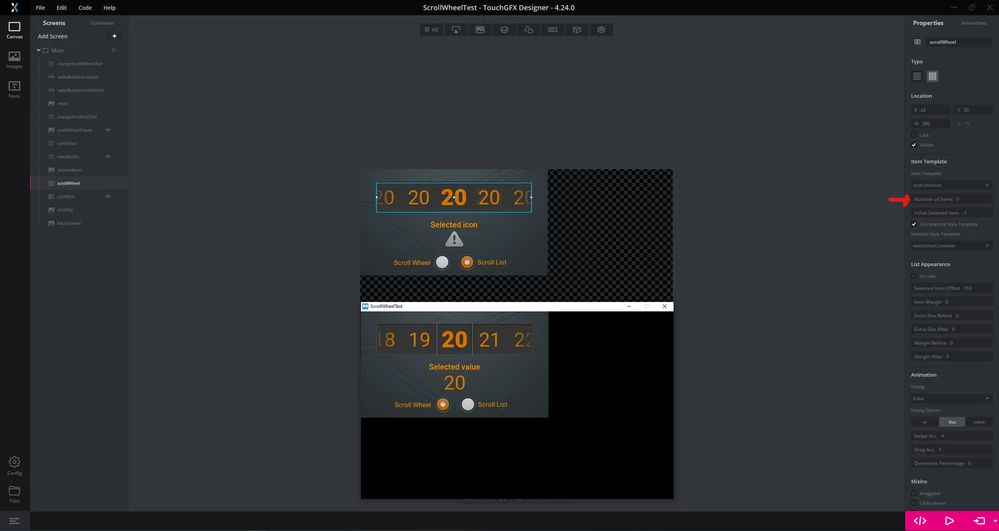
Duplicate Items when using Scroll wheel
Setup:
- TouchGFX v4.23.0
- STM32H747
- Scroll wheel with selected item template
Issue:
I dynamically set the number of items in the scroll wheel using the function setNumberOfItems() so in the TouchGFX designer I set the Number of Items to 0. As an example, I am displaying 4 items but have 8 to choose from. When the scroll wheel is first shown, the first 4 items (index 0 - 3) are rendered correctly. When I push down, the screen correctly shifts and shows items 1 - 4. When I push down again, the first item (index 2) is shown in the first, selected position and is shown in the 4 position as well.
As I continue to navigate down in the list, sometimes there are other duplicates, sometimes the list is correct.
Workaround:
I tried a few different things but setting the Number of Items in the designer to 2 (I didn't try any other value) solved the duplicate glitch.
So it seems, that having the Number of Items set to 0 is what causes this issue in the first place.